70
HEAT
Page 6
Normal Operation
Operation
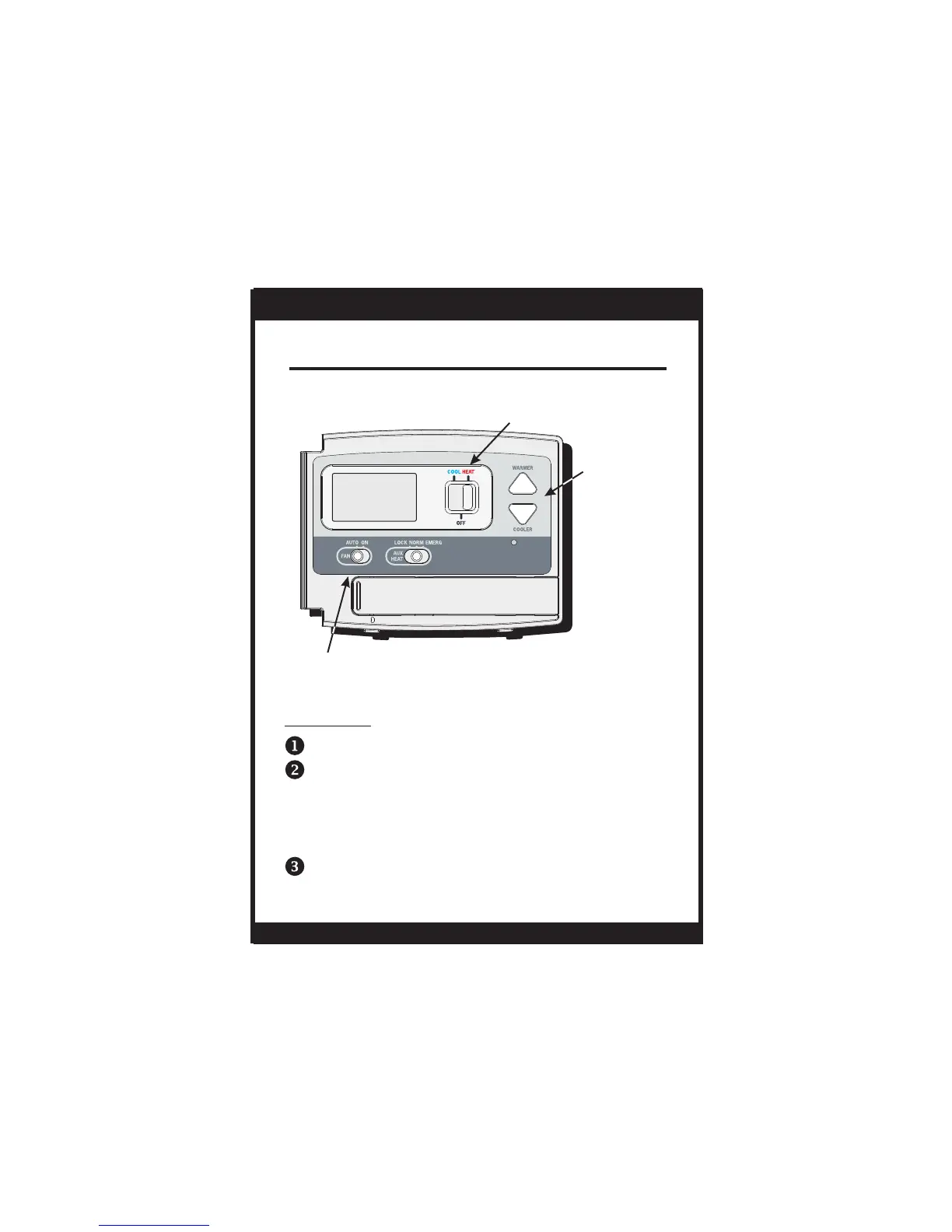
Select Cool or Heat with the Mode Switch.
Normally leave the fan switched to Auto.
In Fan Auto, the fan will turn on only with a heat
or cool demand. When Fan On is selected, the
fan will run continuously.
Adjust the desired set temperature with the
COOLER or WARMER buttons.
OWNER'S MANUAL
T0140
On or Auto
FAN SWITCH
COOLER &
WA R M E R
BUTTONS
MODE SWITCH
Cool, Off or Heat


 To Next Page