EN28
WIFI / HOTSPOT
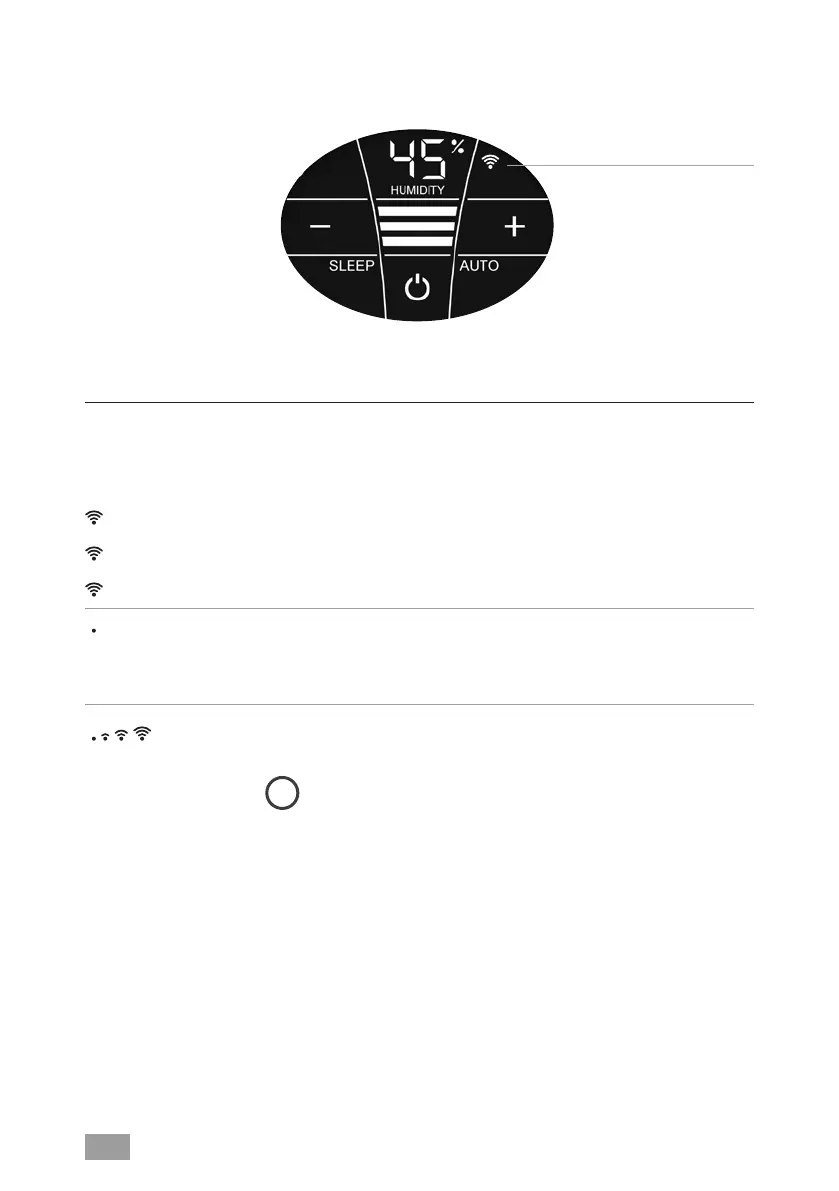
Display Functions & settings
Illuminated
Flashes slowly
Flashes rapidly
Switch the WiFi connection on and off or (de)activate it
by tapping the WiFi symbol.
WiFi connection ON or activated.
WiFi connection to the Venta server established.
WiFi connection to the local network established.
WiFi connection disabled or waiting for WiFi connection.
Illuminated The WiFi connection is OFF or deactivated.
The WiFi module does not send or receive any data
and is not connected to any network or appliance.
The Venta appliance is in hotspot mode and is ready for
the configuration or network setup.
i
The four individual segments of the WiFi symbol
consecutively light up from the bottom to the top.
The hotspot mode can be activated at any time during
device operation by touching the WiFi symbol and holding
it for 3 sec.
WiFi


 To Next Page