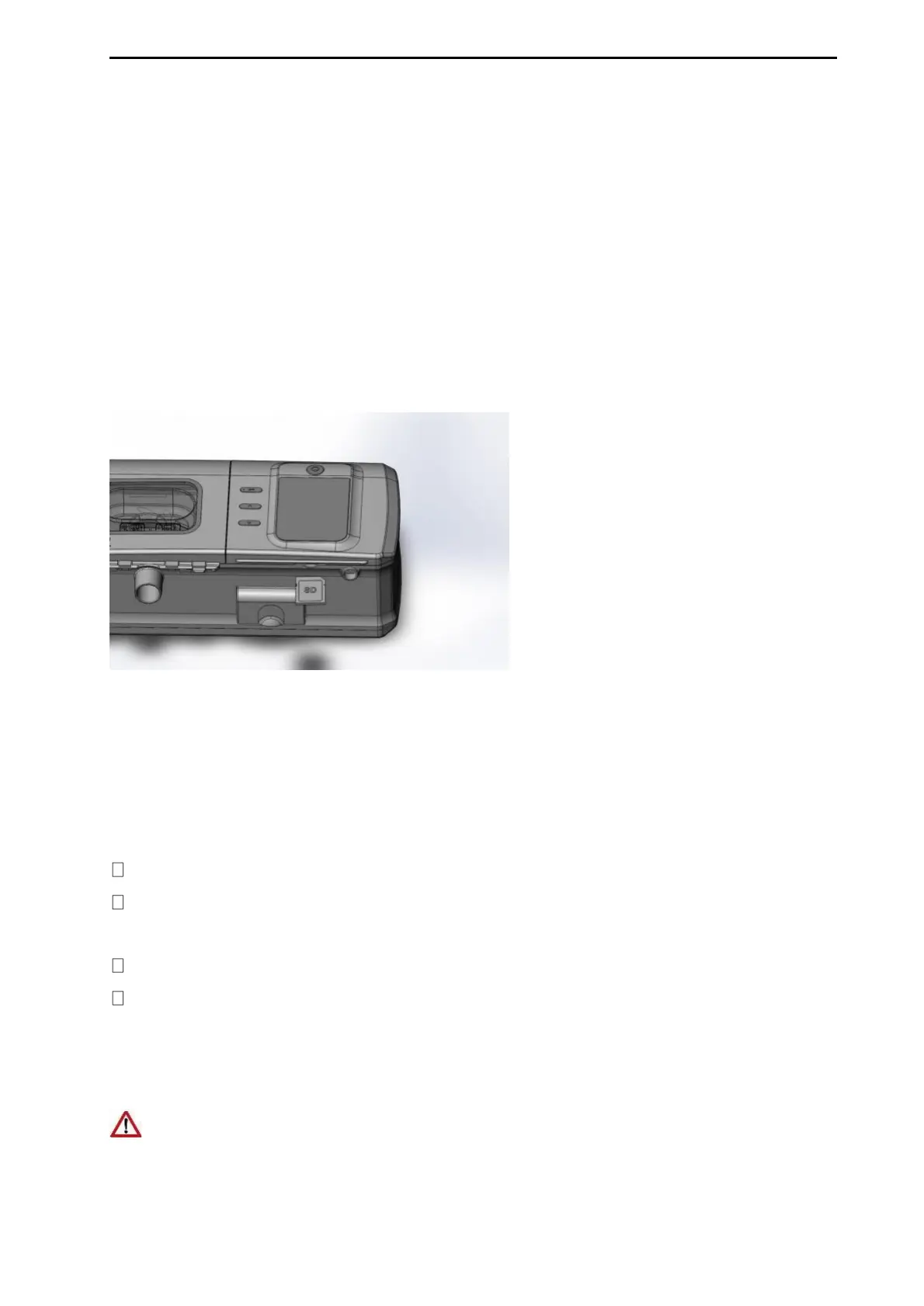
provider, remove the SD card.
Do not remove the SD card from the device when the device is working.
2. Push in the SD card to release it. Remove the SD card from the device.
Place the SD card in the protective folder and send it back to your care provider.
Note: The SD card should insert in correct, should not be used for any other
purpose.
You can take this device with you wherever you go. Just keep the following in
mind:
Empty the water tank and put it into the device.
Make sure you have the appropriate power cord for the region you are traveling
to. For information on purchasing, contact your care provider.
Use the travel bag provided to prevent damage to the device.
If you are using an external battery, should turn off the humidifier in order to
maximize the life of your battery. Do this by turning the Humidity Level to
Off.
Do not use the device with water in the water tank on a plane due to the risk of
inhalation of water during turbulence.


 To Next Page