periodically reassess the setting(s) of the therapy for effectiveness.
8. The equipment must not be covered or positioned in such a way that the
operation or performance of the equipment is adversely affected.
2. Press Start/Stop button.
3. You will know that therapy is on when the air fan icon is rotated
The current treatment pressure is shown in white words.
During ramp time the pressure is gradually increasing and you will see a blue
triangle icon on the screen once the prescribed pressure is reached.
The screen will go black automatically after a short period of time. You can press
any button to turn it back on.
2. Press Start/Stop button, therapy will stop automatically after a few seconds.
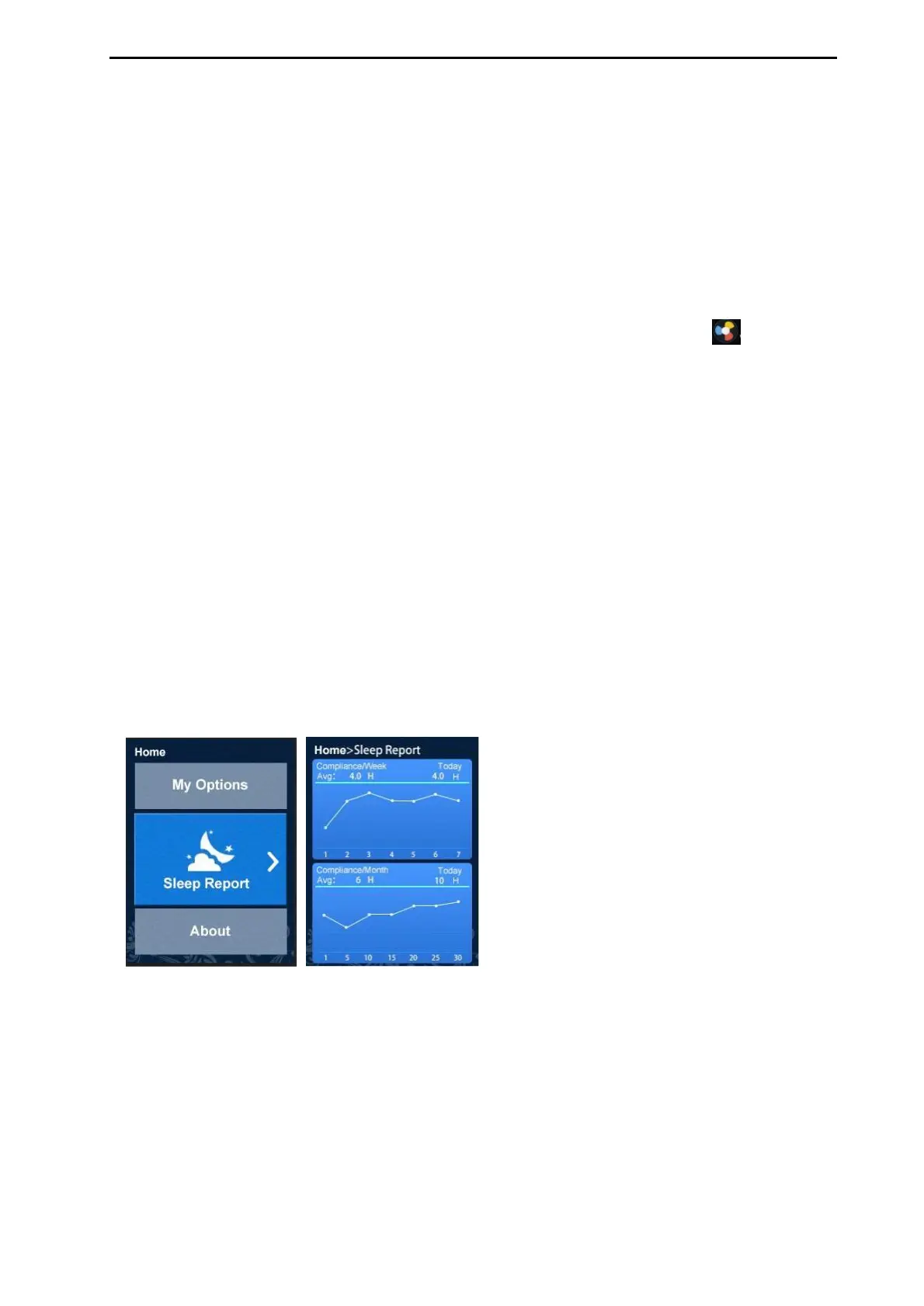
The Sleep Report now gives you a summary of therapy session.
Compliance/Week Avg: H--Indicated the number of hours of therapy you received
in one week.
H Today--Indicated the number of hours of therapy you received today.
Compliance/Month: H--Indicated the number of hours of therapy you received in
one month.


 To Next Page