E - 10
CONNECTIONS
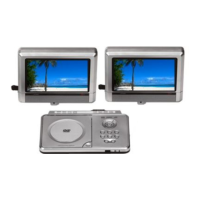
Connecting the Monitors
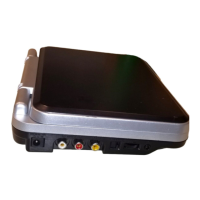
• Use supplied EZ View cables to connect the monitor ports.
Right side of unit
Using Headphones/Earphones
• Turn down the volume before connection, and then adjust the level.
• When headphones are connected on Monitors, no sound will be output from the Monitor's speakers.
Caution:
• Avoid listening to sound at excessive levels which could be harmful to your ears.
Headphones/
Earphones
(3.5mm diameter plug)
Bottom of Monitor
Main unit
EZ VIEW CABLES
Monitors
CONNECT TO
MAIN UNIT port
(Input)
CONNECT TO
MAIN UNIT port
(Input)
Connect to
MONITOR ports
(Output)
Headphones/
Earphones
(3.5mm diameter plug)
Note: In AV IN mode, headphones are connected on unit, no sound will be output from the unit.


 To Next Page
 Loading...