E - 12
DIGITAL
OUT
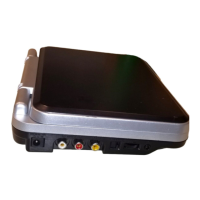
AV OUT
(DVD ONLY)
Notes:
• If the external equipment is a television and this audio system is close to it, you may experience some interference.
• Make sure to use correct Audio/Video cable, wrong plug connection may cause weak signal.
• If you have a stereo VCR, make sure you set it in stereo mode.
• Due to copyright protection, DVD movies cannot be copied. If you copy a DVD movie onto a videotape, the
resulting copy will be unclear, with poor sound quality. This is NOT caused by a defective DVD system.
C. Connecting to another source
This unit can play Dolby Digital, but only in two channels.
CONNECTIONS
Listening to another audio equipment
1.Turn on the Unit.
2.Turn on your audio equipment and follow the instructions provided with it to select the AUDIO IN or DIGITAL IN
function.
Analogue connection
DIGITAL
OUT
AV OUT
(DVD ONLY)
AUDIO
IN
Amplifier of
stereo system, etc.
Rear of unit
(No need to connect
the Yellow video plug)
(Red)
(White)
AUDIO/VIDEO CABLE
SPECIAL AUDIO/VIDEO CABLE
(included)
(Yellow)
(Red)
(White)
Digital connection
Audio equipment with
digital audio input jack
COAXIAL DIGITAL AUDIO CABLE
Rear of unit



 To Next Page