6
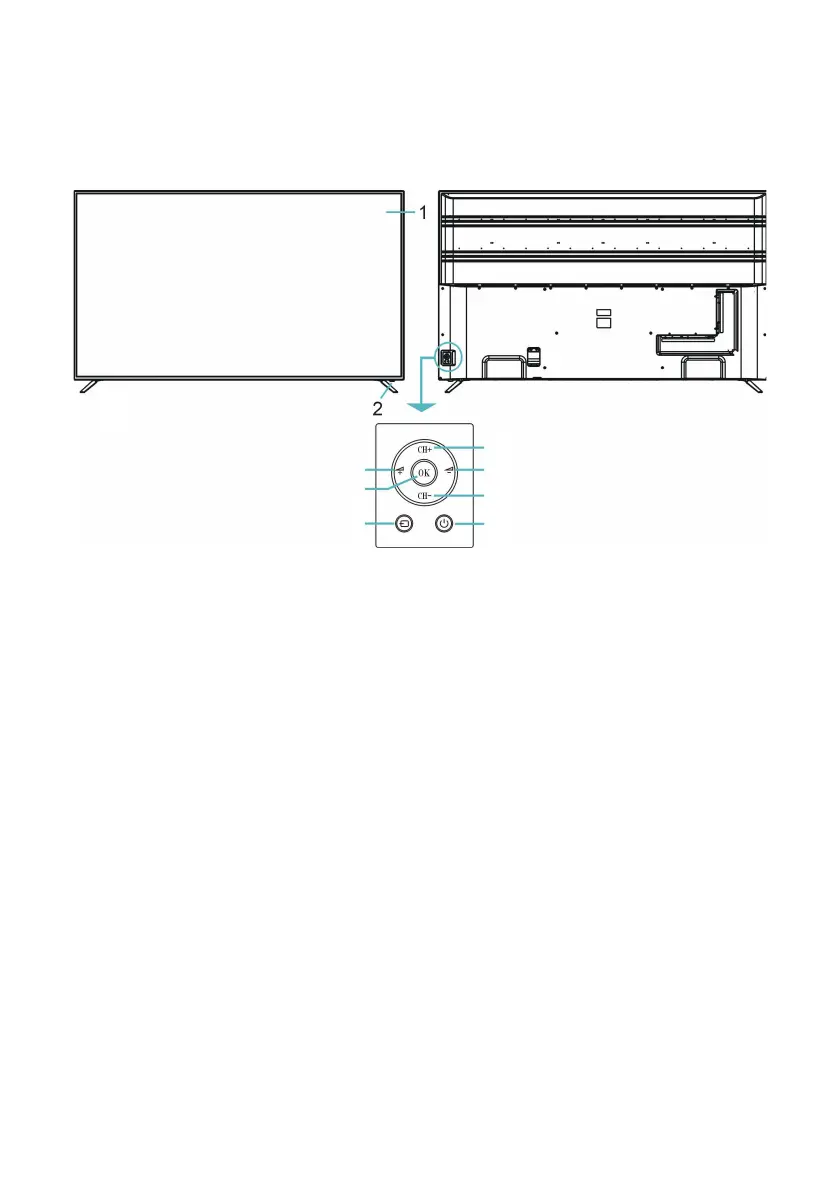
Controls and Connections
Front View
Back View
NOTE: See next page for a detailed description of all the sockets on the back panel.
1. LCD Display Screen
2. IR (infra-red) Sensor for Remote Control
Power Indicator: In standby mode the indicator light is red; when switching on
the unit the indicator light will illuminate blue.
3. VOL + / - : Increase/decrease the volume level or move left/right.
4. CH + / - : Select the next/previous channel or move up/down.
5. MENU: Enter the settings menu.
6. SOURCE: Select the input source.
7. STANDBY: Turn the TV On/Standby.
3
5
6 7
4
3
4



 To Next Page