11
Controls and Connections (Cont.)
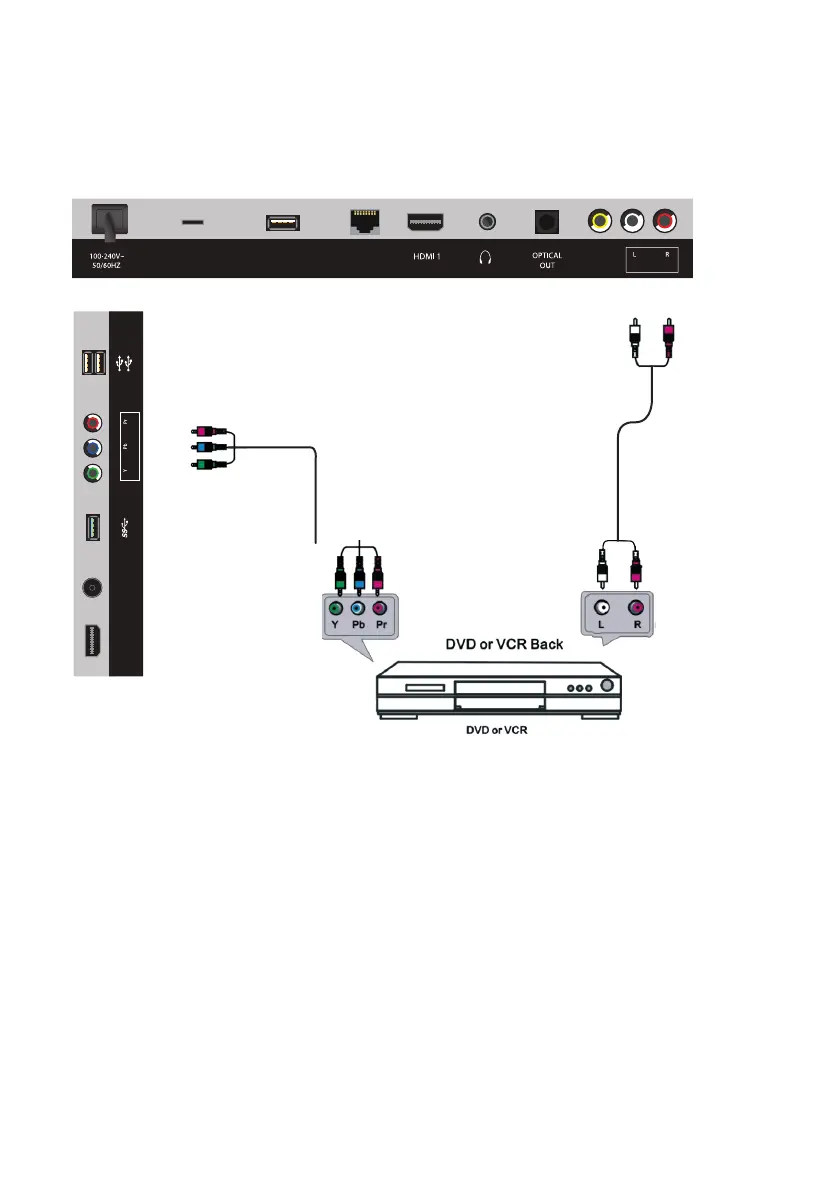
Component (YPbPr) Connection
• Use a YPbPr component cable (not supplied) complete with green, blue
and red terminals to connect to your external device.
• For sound, use the white and red jacks on the supplied AV cable to connect
your external device to the TV.
AV Cable
(included)
YPbPr Component
Cable (not included)
MICRO SD
USB
(TV)
LAN
VIDEO
(ARC)
(AUDIO IN)(COMPOSITE)
HDMI 2
ANT
(ANDROID)
(AIR MOUSE)
(COMPONENT)(TV)



 To Next Page