6
Verdant VX-TR Network Installation
Installing the Online Connection Kit
BEFORE YOU BEGIN
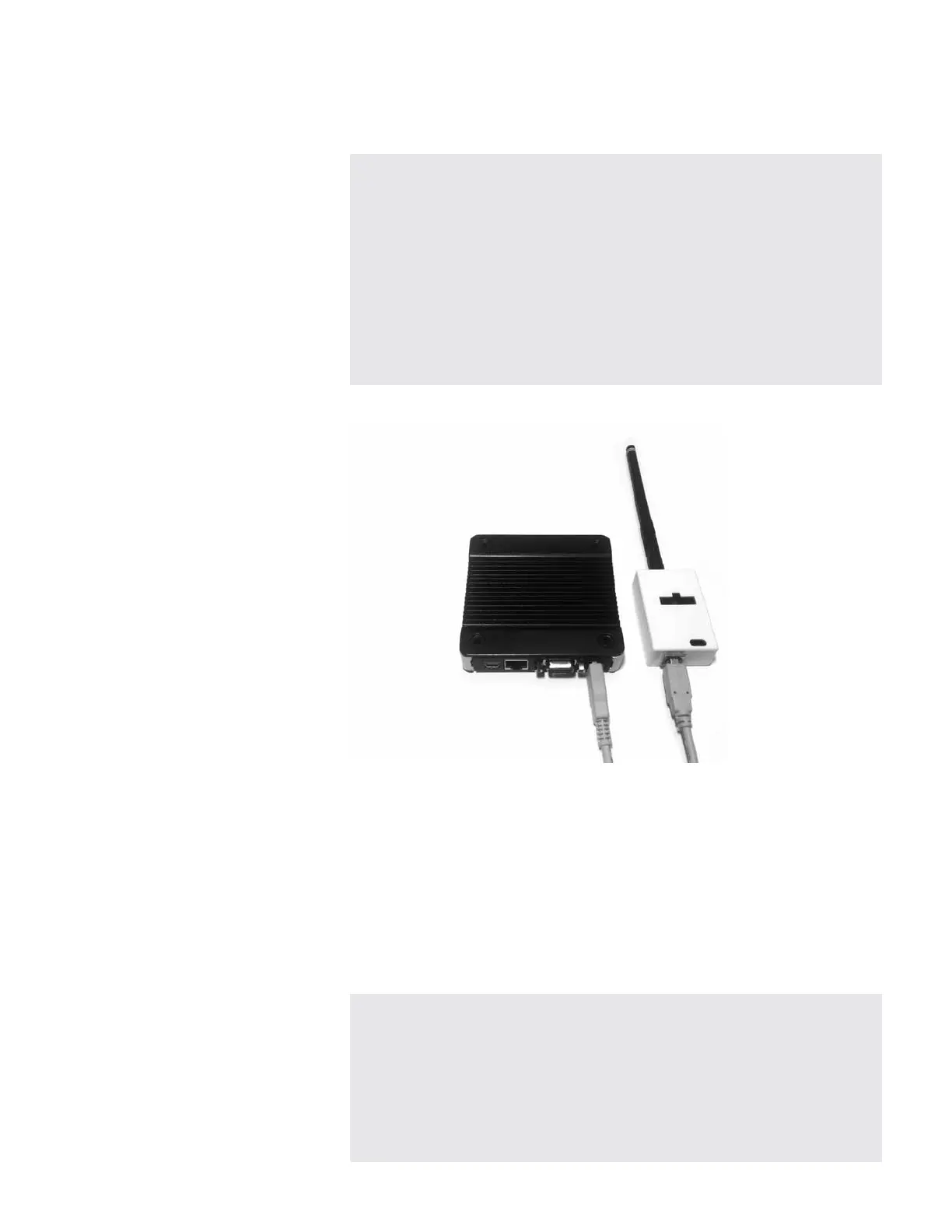
1. Connecting the Antenna Module
1.1. Screw the Antenna onto the Wireless Receiver;
1.2. Connect the Wireless Receiver to the Server using the supplied USB
cable;
1.3. Fix the Wireless Receiver to the wall with double-sided adhesive
tape.
Orient the antenna to be parallel to the closest room in which
Verdant thermostat will be installed;
WIRELESS RECEIVER AND THE ANTENNA MUST NOT BE INSTALLED
NEAR METAL STRUCTURES OR SURFACES.
METAL STRUCTURES AND SURFACES SIGNIFICANTLY REDUCE THE
RANGE OF THE WIRELESS SIGNAL.
DETERMINE THAT THE SERVER INSTALLATION LOCATION IS SUITABLE.
INSTALL THE SERVER IN A ROOM ADJACENT TO ROOMS IN WHICH
VERDANT THERMOSTATS WILL BE INSTALLED. THE MAXIMUM
DISTANCE WILL VARY DEPENDING ON THE TYPE OF THE BUILDING
CONSTRUCTION.
DO NOT INSTALL THE SERVER IN THE BASEMENT


 To Next Page