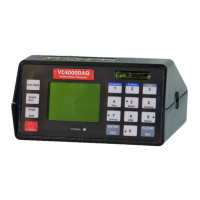
Information available after a brake test
Use the up 5 and down 0 arrow keys to scroll the data.
Elapsed Time (E/T): The time from when the VC4000 was
activated (see threshold page 65) until the
vehicle came to a complete stop.
Speed: Speed of the vehicle when the VC4000 was
activated (see threshold page 65).
Distance: Distance the vehicle traversed during the braking
time.
Distance (AdjD): Stopping distance assuming the vehicle was
traveling at the target braking speed (usually
20 or 60) when the brakes were applied.
Avg. Gx: Average longitudinal G force from when the VC4000
was activated to stop.
Peak Gx: The maximum longitudinal G-Force obtained from
activation to stop and the time where it occurred.
1
st
PkGx: The maximum longitudinal G-Force obtained from
activation to 0.75 seconds and the time where it
occurred. This is useful to determine if a braking
systems mechanical reaction time is sufficient.
Reaction Time (R/T): The time from external trigger to the G-
Threshold. (Shows only if externally
triggered)
R/T Dist: The distance traveled during the reaction time.
(Shows only if externally triggered)
Graphs: Press the Graph/Data key to display graphs of the
run. Press Speed, Distance, G-Force, or Sensor
(PC). Press the same key again to scroll through
multiple graphs, such as G-Force.
While reviewing the data after a braking test if the braking key is
pressed the VC4000 will start a new braking test using the zero
reference established the last time the Braking key was pressed
from the “READY” screen.


 To Next Page
 Loading...