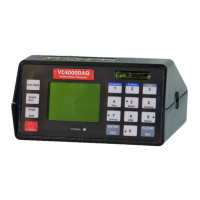
3-axis accelerometer
Single vacuum cup mounting
Summation of X+Y+Z vectors
Analog output of sensors or speed
Menu selection software
RS232 port
USB port
Updateable firmware via USB interface
Delete individual Runs
Battery shows charging on display and LED on front
Audible G alarm
Calculates adjusted braking distance
115 minutes of internal data storage
2GB SD flash memory card for extra storage (PC)
GPS speed and position (with GPS module) (PC)
OBDII input compatible (PC)
Selectable G range of 2 or 6 G (PC)
Profile Professional included (PC)
Can send data directly to Profile (Data Streaming) (PC)
Variable sample rate of 1, 10, 100, 500 or 1000Hz (PC)
This manual covers everything necessary to operate your VC4000.
For further information and details, see our web site
www.vericomcomputers.com and go to the support page. There
will be documents with tips on various subjects. Look to the support
pages for firmware updates for your VC4000.
How to use this manual
The gray area on the page edges allow you to quickly thumb through
to find the section you want. Use the Table of Contents at the
beginning to quickly search for the general section you are interested
in. If you can’t find what you are looking for, go to our web site’s
support pages for more detailed information. This manual covers the
VC4000 Brake Meter and the VC4000PC. When you see “(PC)”
means it applies to the VC4000PC model only.


 To Next Page
 Loading...