10 – ENGLISH
Setting the Date and Time
Date and time will default to factory settings, 12:00 a.m. 1M 1D, if you do not choose to set
the correct information.
1. When the unit is off, press and release both the POWER and M
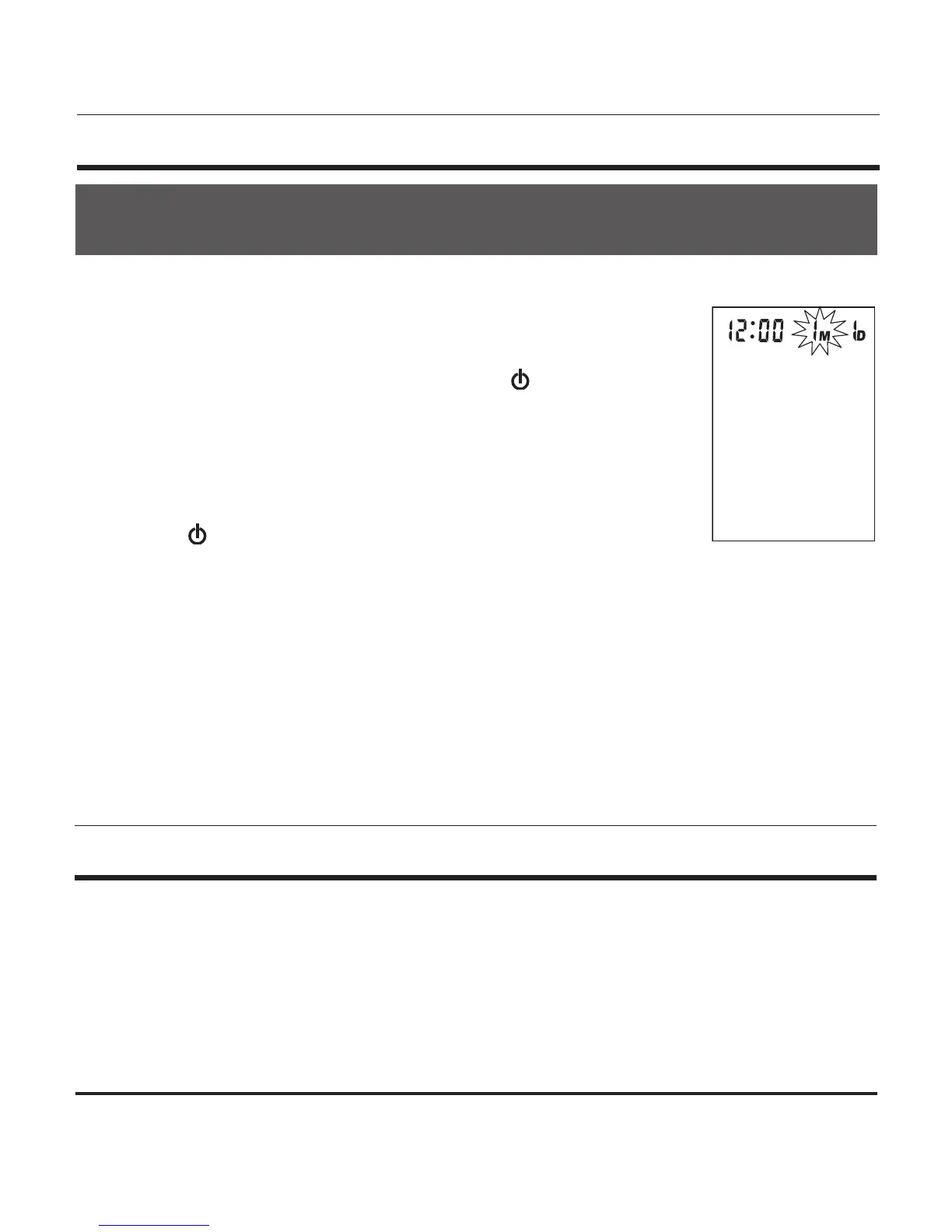
button at the same time. The month will begin to ash, Fig. 1.
2. Press the M button to change until the desired number appears. To
scroll through the numbers quicker, hold down the M button as the
numbers advance.
3. Press the POWER button to conrm the month entry.
4. Next, the date will blink. Repeat steps 2 and 3 to set the date, then
hours, then minutes.
5. After setting the minutes, the unit will automatically exit out of the date/time setting
mode.
When the monitor is off, the date and time will still appear at the top of the screen.
The time is displayed in 24hr Military Time. This chart explains the time conversion.
Fig. 1
Military Time = Regular Time
1:00 = 1am 7:00 = 7am 13:00 = 1pm 19:00 = 7pm
2:00 = 2am 8:00 = 8am 14:00 = 2pm 20:00 = 8pm
3:00 = 3am 9:00 = 9am 15:00 = 3pm 21:00 = 9pm
4:00 = 4am 10:00 = 10am 16:00 = 4pm 22:00 = 10pm
5:00 = 5am 11:00 = 11am 17:00 = 5pm 23:00 = 11pm
6:00 = 6am 12:00 = 12pm 18:00 = 6pm 24:00 = 12am
IT IS NECESSARY TO SET THE DATE AND TIME FOR THE MONITOR EVERY TIME
BATTERIES ARE INITIALLY INSTALLED OR REPLACED.


 To Next Page