ENGLISH – 13
Taking Your Blood Pressure Reading
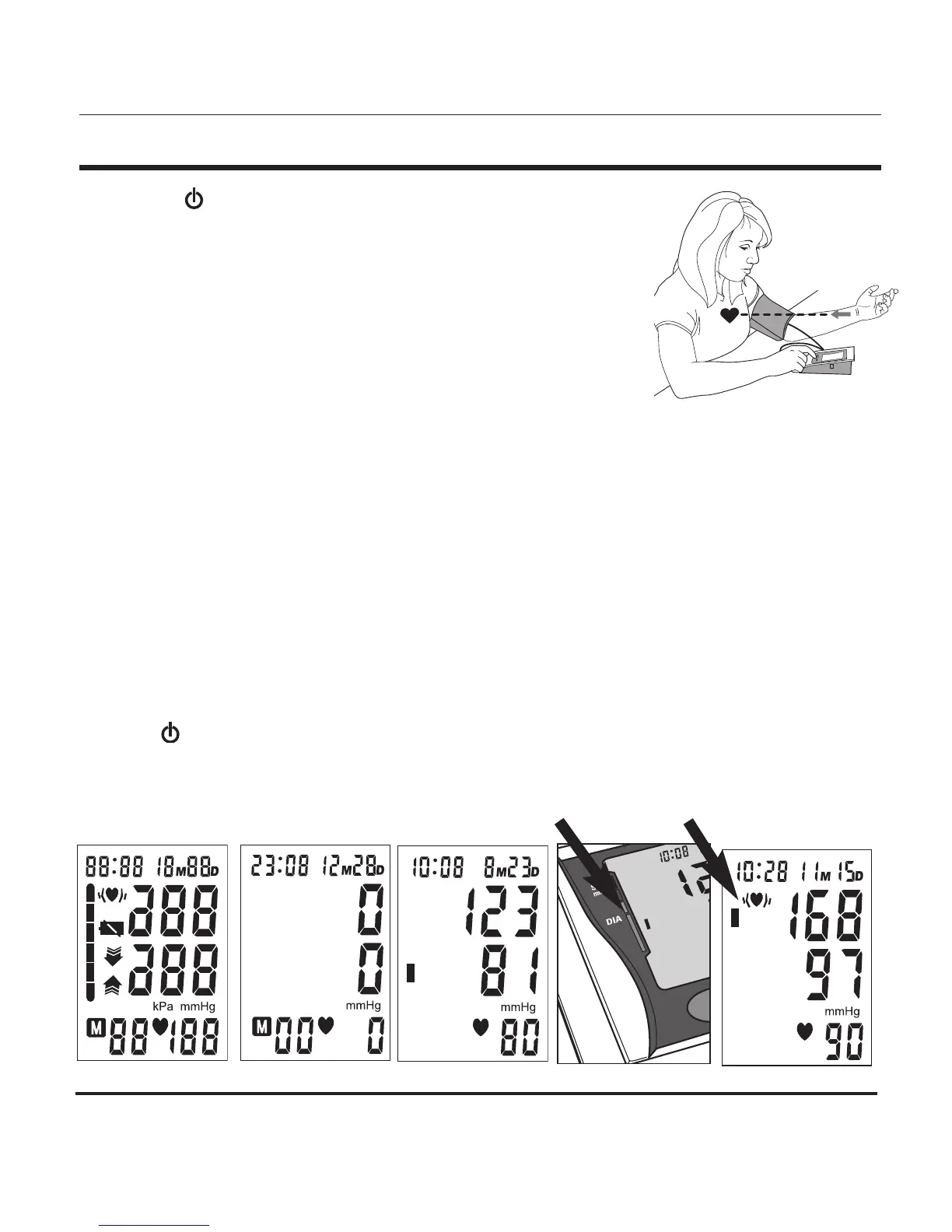
4. Press the POWER button to turn the unit on; the unit will run a
self-test, Fig 3.
5. The unit will briey display the last reading value for that memory
bank. If there is no previous measurement, the unit will display ‘0’
for all of the reading values, Fig 4.
6. The cuff will automatically inate to approximately 190mmHg or
40 mmHg higher than the last systolic pressure reading store in
memory.
7. When the ination has reached optimum level, the display will begin to show the decreasing
pressure while you feel the pressure of the cuff decrease.
8. Your blood pressure measurement and pulse will display simultaneously on the screen, Fig 5.
Both the systolic and diastolic readings will display at the same time.
9. The Hypertension Indicator will indicate your reading range in the left side of the display, Fig 6.
See page 15 for a chart interpreting the Hypertension Indicator results.
10. If an irregular heartbeat was detected during the reading, the Irregular Heartbeat Detector will
appear on the display, Fig 7. See page 14 for more information on the Irregular Heartbeat
Detector feature.
11. The reading will automatically be stored in memory, up to 60 readings.
12. Select POWER to turn the unit off and conserve energy and battery life. The unit will
automatically shut-off and revert to time/date mode after approximately 1 minute.
13. Disconnect the cuff and tubing from the monitor prior to storing.
Fig. 3 Fig. 4
Fig. 5
Fig. 6
Fig. 7


 To Next Page