External | P400+ User Manual | Version 2.3 | March 22nd, 2021
P400+ User Manual
50
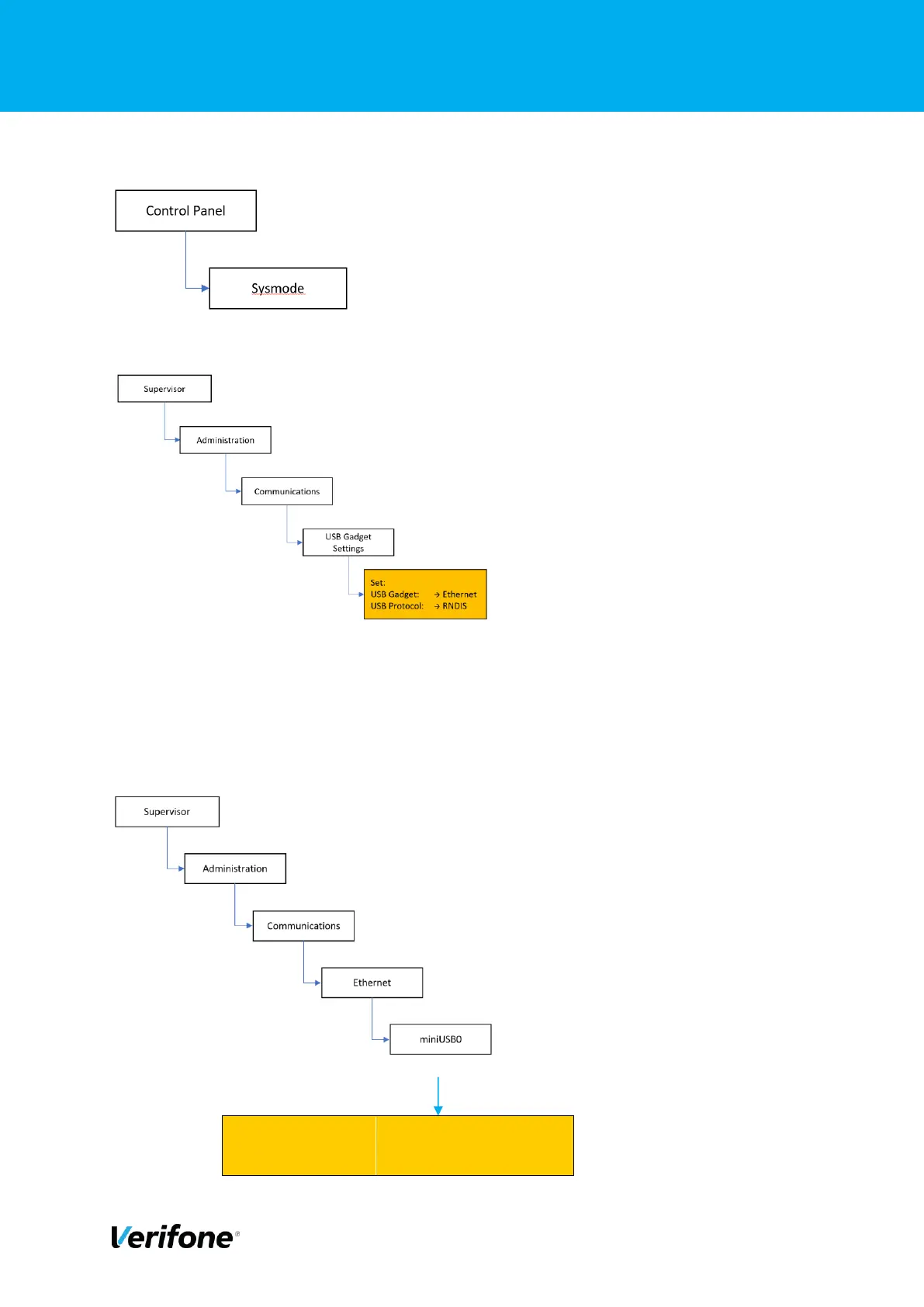
From the desktop follow the navigation as below:
From the system menu proceed as follows, Supervisor access is PIN protected.
Once these settings have been made, the P400+ will need to be rebooted for the settings to
take effect.
The P400+ now needs to be configured to select correct default communications protocol on
start up. Navigate to the Terminal Systems Menu see above. Navigate the menu options as
follows:



 To Next Page