11.30 AM
Process a transaction
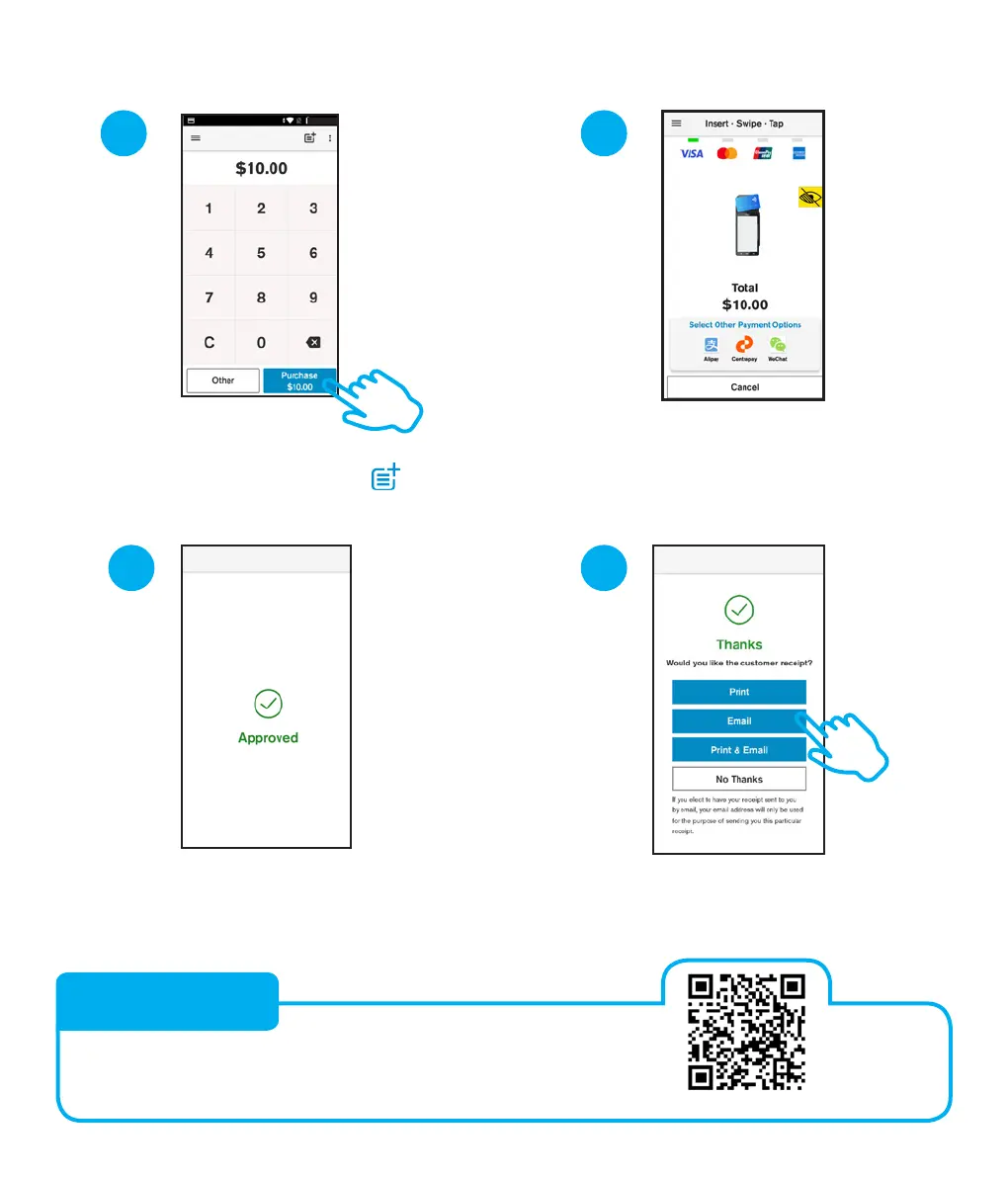
Your customer taps, inserts, or
swipes their card or mobile wallet
and enters their PIN if prompted
3 4
Customer selects how they would like
to receive their receipt. Learn more:
eftpos.co.nz/android-receipts
Enter the purchase
amount and tap Purchase.
TIP: You can tap on the
icon to add
a reference to the transaction
Terminal will display
Approved or Declined
21
3.
Discover solutions that will enhance your customer
experience, reduce costs, and help you run your business.
eftpos.co.nz/value
VALUE ADDS


 To Next Page
 Loading...











