Configuration and operation
LD8 Operations Manual 24
Configuring message outputs via WebUI
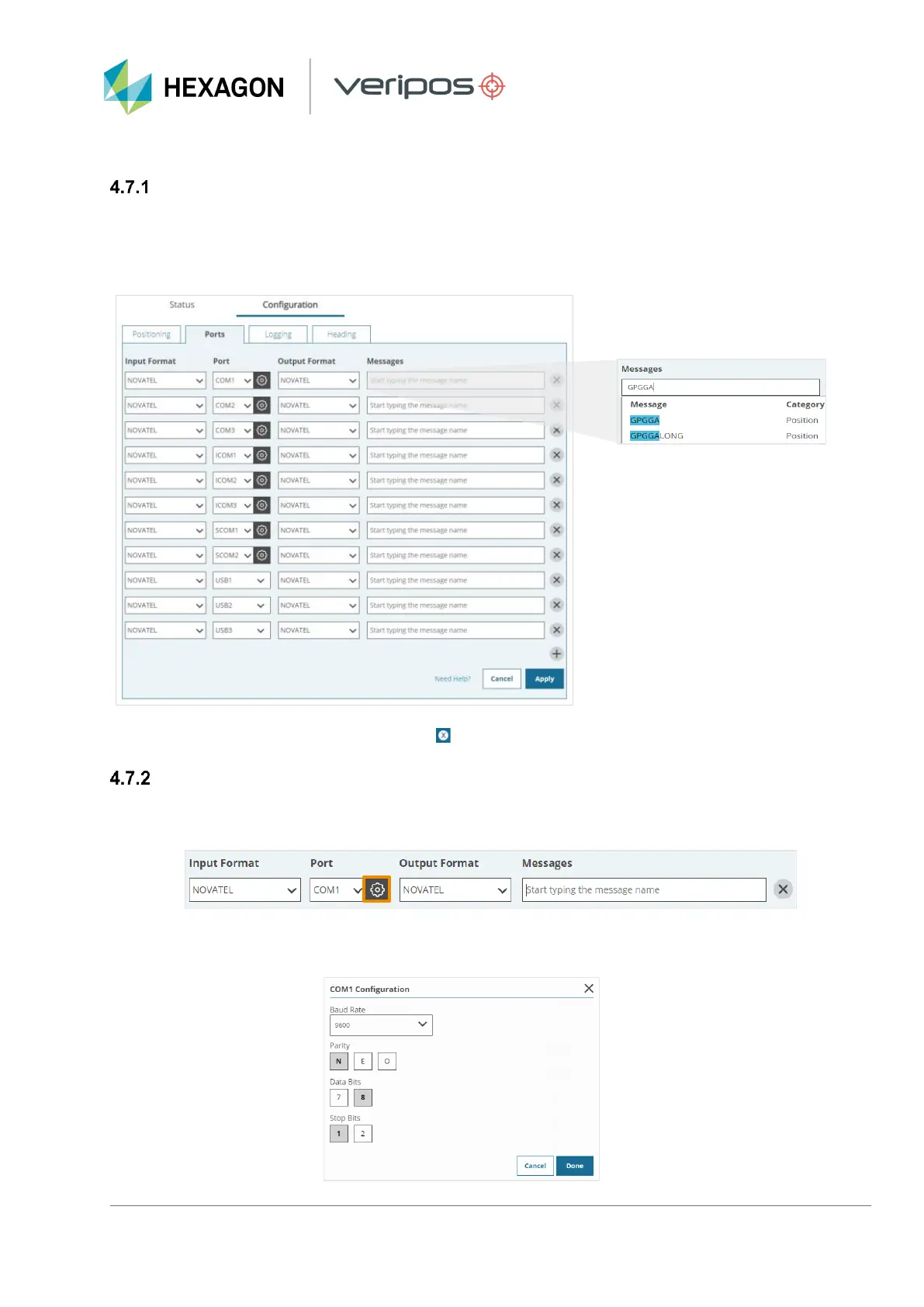
Navigate to Configuration > Ports, where configuration of COM 1-3, ICOM 1-3 and USB 1-3 ports is available.
Using command variables to specify message type, enter the appropriate command variable next to the required
COM, ICOM or USB port in the Messages field. Select the command variable once it appears in the Messages
field as shown below and then click Apply to confirm settings.
To remove any message outputs, click on the ‘ ‘ ’ appearing next to the Command variable and click Apply.
Specifying baud rate via WebUI
To specify a baud rate for COM Ports 1, 2 or 3 navigate to Configuration > Ports click on the cog wheel within
the Port field:
A window will open that will allow for a baud rate of 2400, 4800, 9600, 19200, 38400, 57600 or 115200 to be
selected. Once the appropriate baud rate has been selected, click on Done followed by Apply.



 To Next Page