Introduction
LD8 Operations Manual 3
1 Introduction
This document provides the information required to operate the Hexagon | VERIPOS LD8 receiver.
It will help to have the following items available when consulting this document:
• LD8 and associated equipment shipped to site.
• PC or Laptop meeting specified System requirements.
• The Delivery note provided within the shipment from VERIPOS.
• VERIPOS document LD8 Installation Manual.
• VERIPOS document Antenna and Coaxial Cable Installation.
• LD8 FAQ material and Quick Guides, available from https://help.veripos.com.
1.1 LD8 receiver
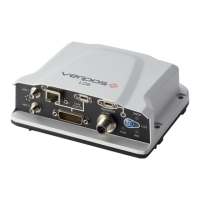
The LD8 is a high precision system, built into a lightweight, compact and environmentally protected enclosure
and designed to operate reliably in the most demanding of marine environments. Key system features:
• Supports decimetre level multi-constellation positioning with VERIPOS Apex and Ultra PPP correction
services
• Compatible with VERIPOS Quantum software
• EN60945 Marine Certified
• 555 channels, all constellations, multi frequency tracking
• Simultaneously track up to 3 VERIPOS correction service satellites
• ALIGN® GNSS heading solution
• Supports RTK operations
• Multiple communication interfaces for easy installation
• WebUI configuration utility
1.2 Scope
The purpose of this manual is to provide the information necessary to configure and operate the LD8 receiver.
1.3 System requirements
This release of LD8 requires a PC or laptop with Windows 7 or Windows 10 installed, capable of running the latest
version of Microsoft Edge, Internet Explorer, Mozilla Firefox or Google Chrome (see individual browser
requirements for more information) and an Ethernet port.
1.4 VERIPOS Helpdesk
Throughout this manual, references are made to the VERIPOS Helpdesk. The Helpdesk is a service provided as
first point of contact for all VERIPOS technical enquiries and fault reports. It is manned 24 hours per day, 365
days per year. Full contact details are listed in the Contact information section.
For support cases VERIPOS recommend that initial contact is made via support@veripos.com, or by raising a
ticket on VOSS https://help.veripos.com. The Helpdesk will be immediately notified and will begin providing
support.
The Helpdesk is trained to aid with common queries and will escalate tickets to regional technical staff for more
complex issues.



 To Next Page