44
/ WIFI SETTINGS
Select the Wi-Fi mode as follows:
• Compatibility – This is the default mode setting on 5GHz, providing a
good balance of performance and interoperability with existing Wi-Fi
devices. 802.11a,n,ac and ax devices can connect.
• Legacy – This is the default mode setting on 2.4 GHz, providing broad
connection support for old and new Wi-Fi devices. 802.11a,b,g,n and
ac devices can connect.
Notes:
•
802.11n is available on both 2.4 GHz and 5 GHz frequencies.
•
Connecting 802.11a, b or g devices will cause your Wi-Fi network to slow
on that radio and is not recommended.
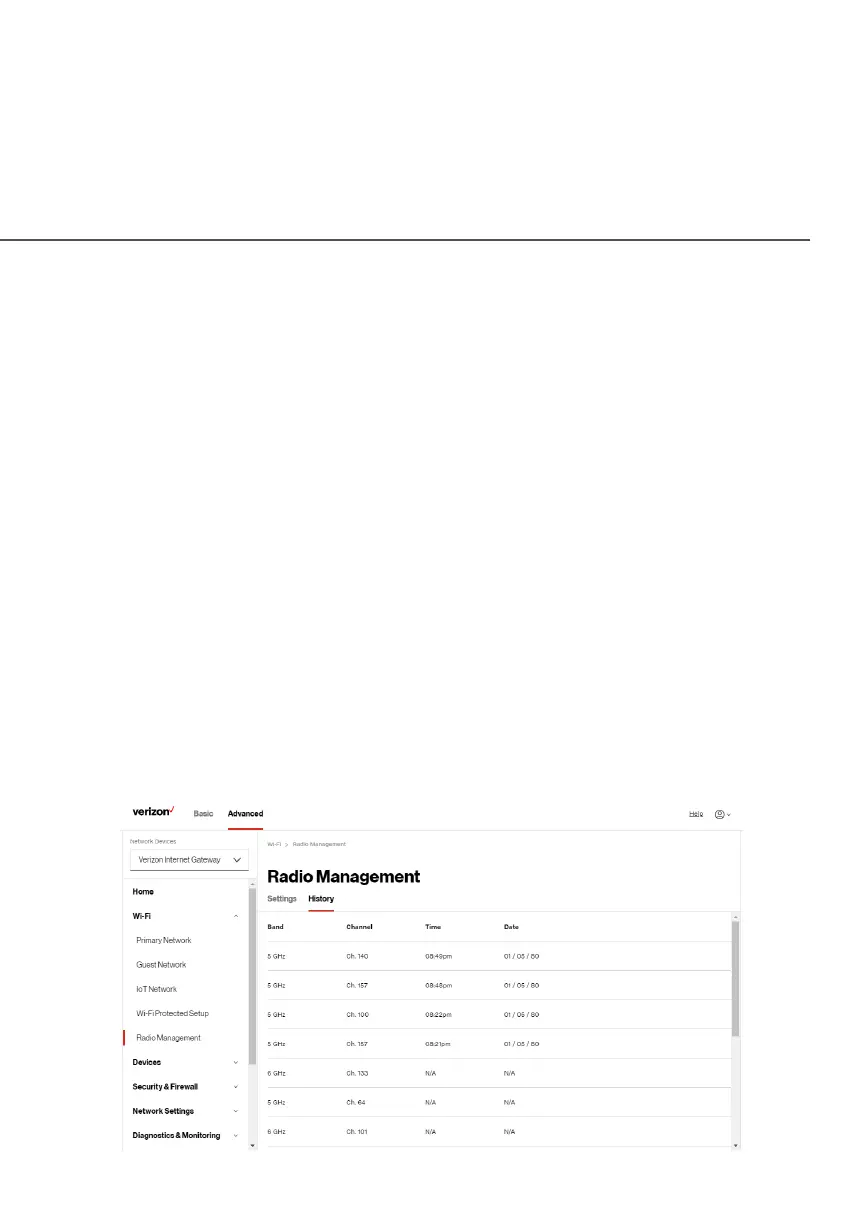
To view the channel settings history:
1. From the Advanced Advanced menu, select Wi-Fi Wi-Fi and then click Radio Radio
ManagementManagement.
2. Click on History History to display the channel settings history.




 To Next Page