17
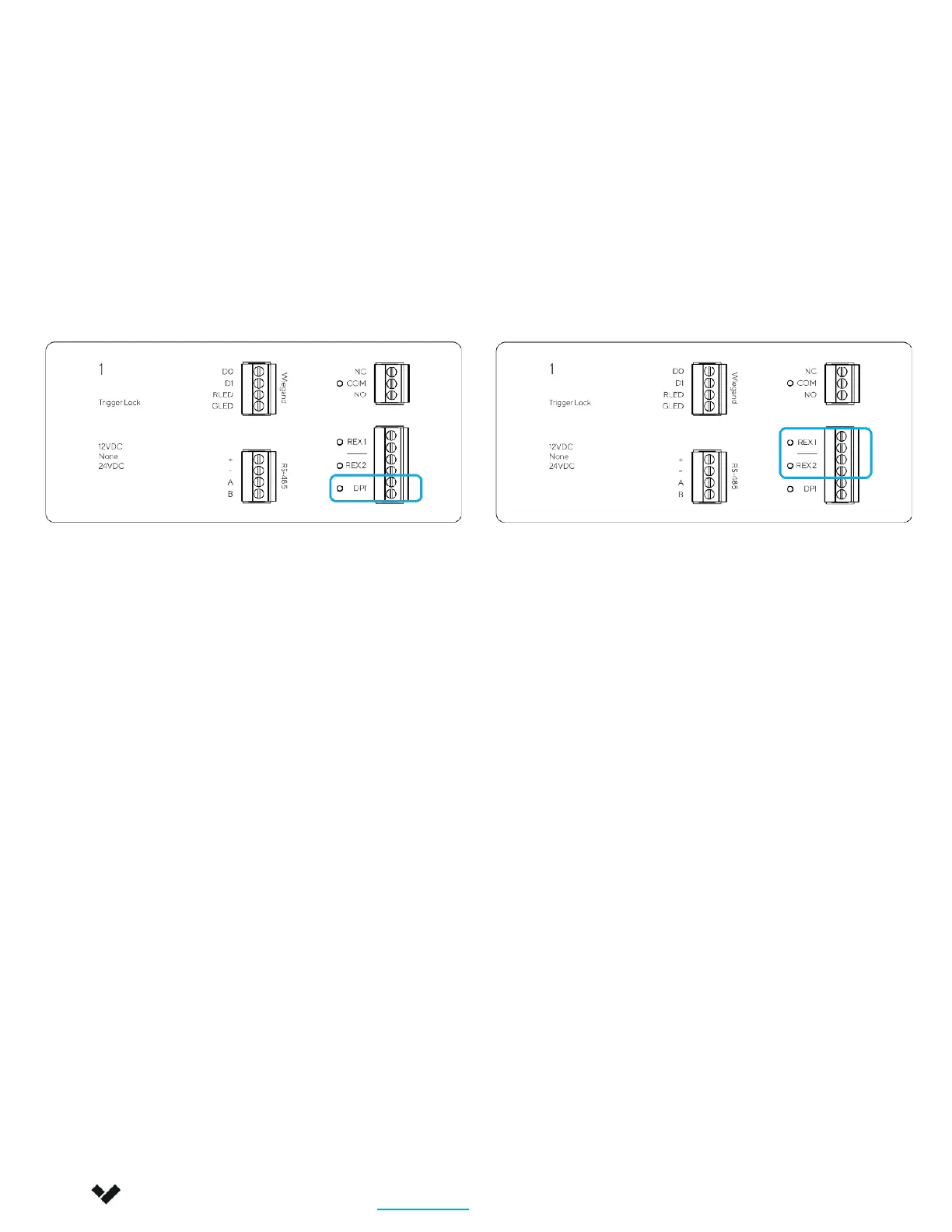
Door Position Indicator
Verkada AC42 expects the DPI to be
NORMALLY CLOSED (NC)
Request-to-Exit (REX)
Verkada AC42 expects the REX to be
NORMALLY CLOSED (NO)
The REX can be configured in Verkada Command to release the lock; this is most commonly seen in
electromagnetic locks. The REX unlock time can also be configured.
4. Connecting the Inputs
Both the DPI (Door Position Indicator) and the Request-to-Exit (REX) inputs are dry contacts.
Installing these inputs is optional. They can be configured in Verkada Command.
Installation
Connecting a Door 4/5
Verkada Inc. 406 E 3rd Ave, San Mateo, CA 94401
sales@verkada.com
All specifications are subject to change without notice
Copyright © 2023 Verkada Inc. All rights reserved.


 To Next Page