EVX-534/-539 VHF Service Manual 20
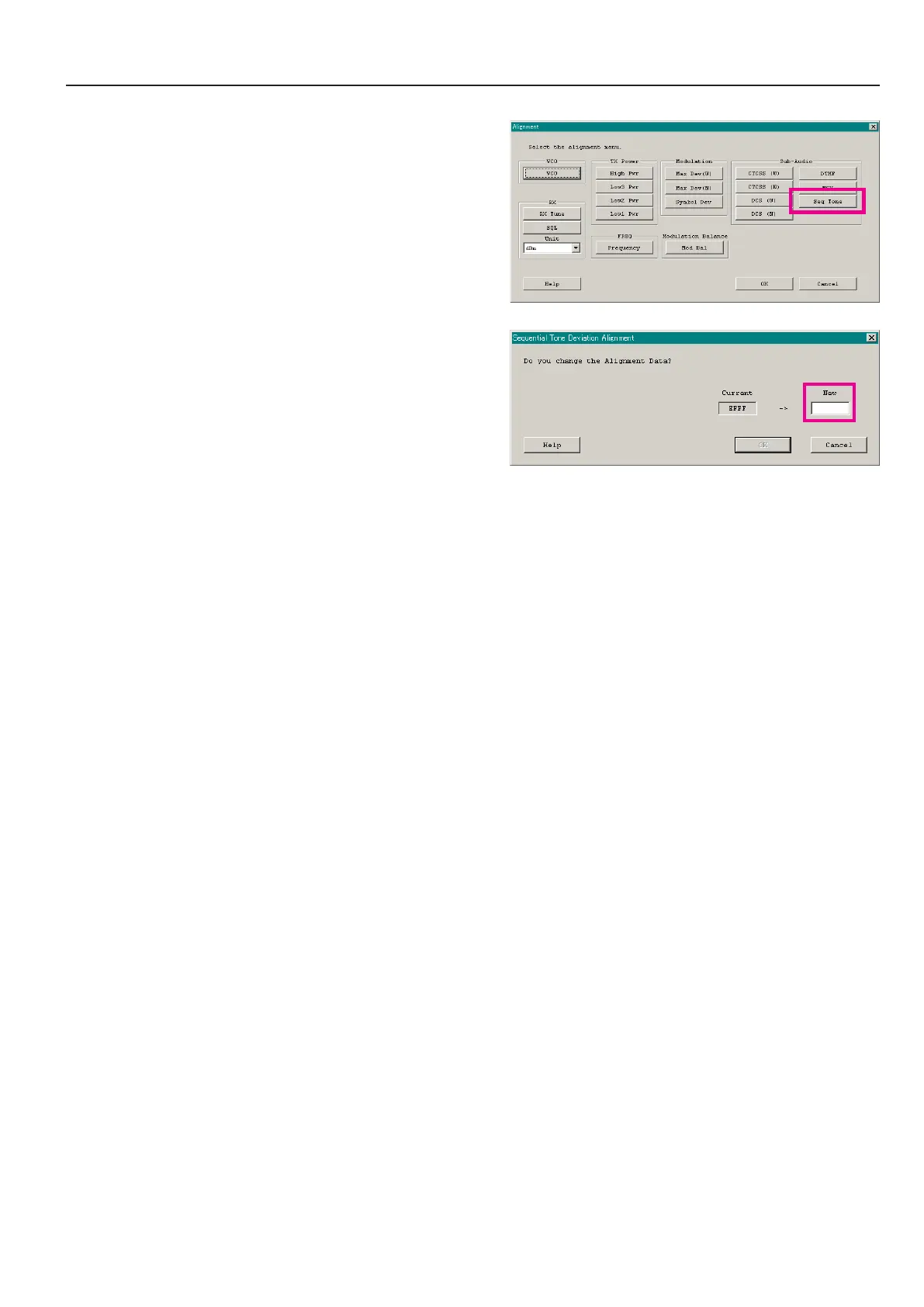
sequential tone deviation
This parameter is to ne-tune of the “Sequential Tone Deviation” for the 2-Tone and 5-Tone Encoder.
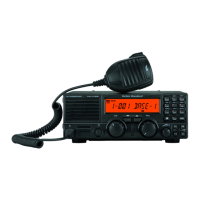
1. Press the “Seq Tone” button to open the “Sequential Tone De-
viation Alignment” window.
2. Entering the desired value in the “New” box from the comput-
er’s keyboard.
3. Click the “OK” button to nish the Sequential Tone Deviation
alignment and save the data.
Alignment
ê


 To Next Page