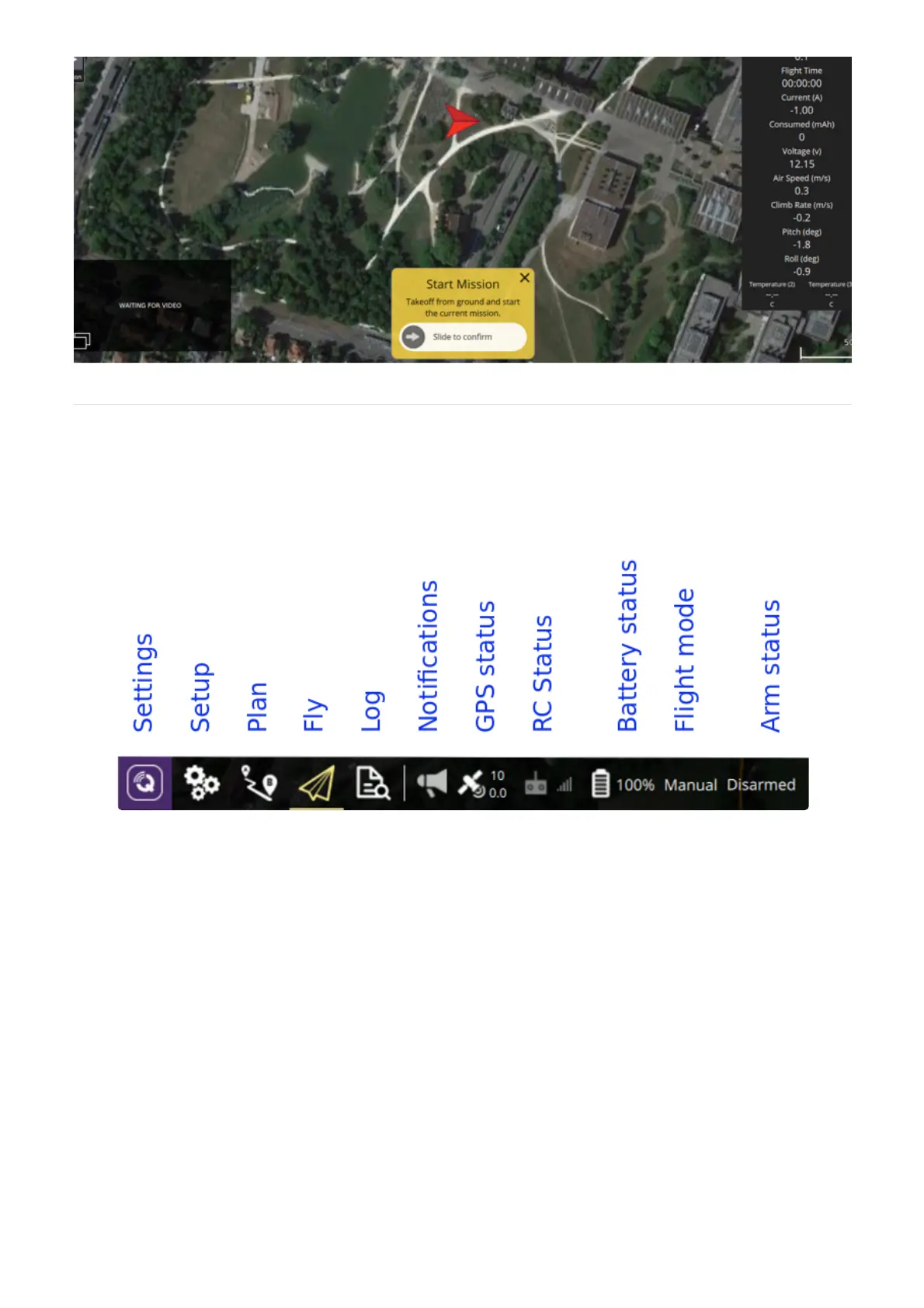
The main menu bar is located in the top of the GCS screen and consists of the following buttons:
Settings: Configure the QGroundControl application. Please refer to the
Setup: Configure the DeltaQuad's , and perform .
Plan: Plan, verify and upload a to the vehicle
Fly: Monitor your vehicle while flying, including streaming video.
Log: Download logs, geotag images from a survey mission, access the mavlink console.
QGC settings manual
parameters safety features sensor calibration
mission
Notifications: Click to show a dropdown of messages from the vehicle and DSPS. This will change to a
Yield sign if there are critical messages.
GPS Status: Display current GPS satellite link information
RC Status: RC signal strength information, only applicable when using a traditional transmitter
Battery status: Displays remaining percentage and additional information when clicked
Flight mode: Displays the current flight mode, when clicked it offers control over the flight mode.
Arm status: Displays and controls current armed status.
Note: The DeltaQuad is designed to operate in the following flight modes:


 To Next Page
 Loading...
