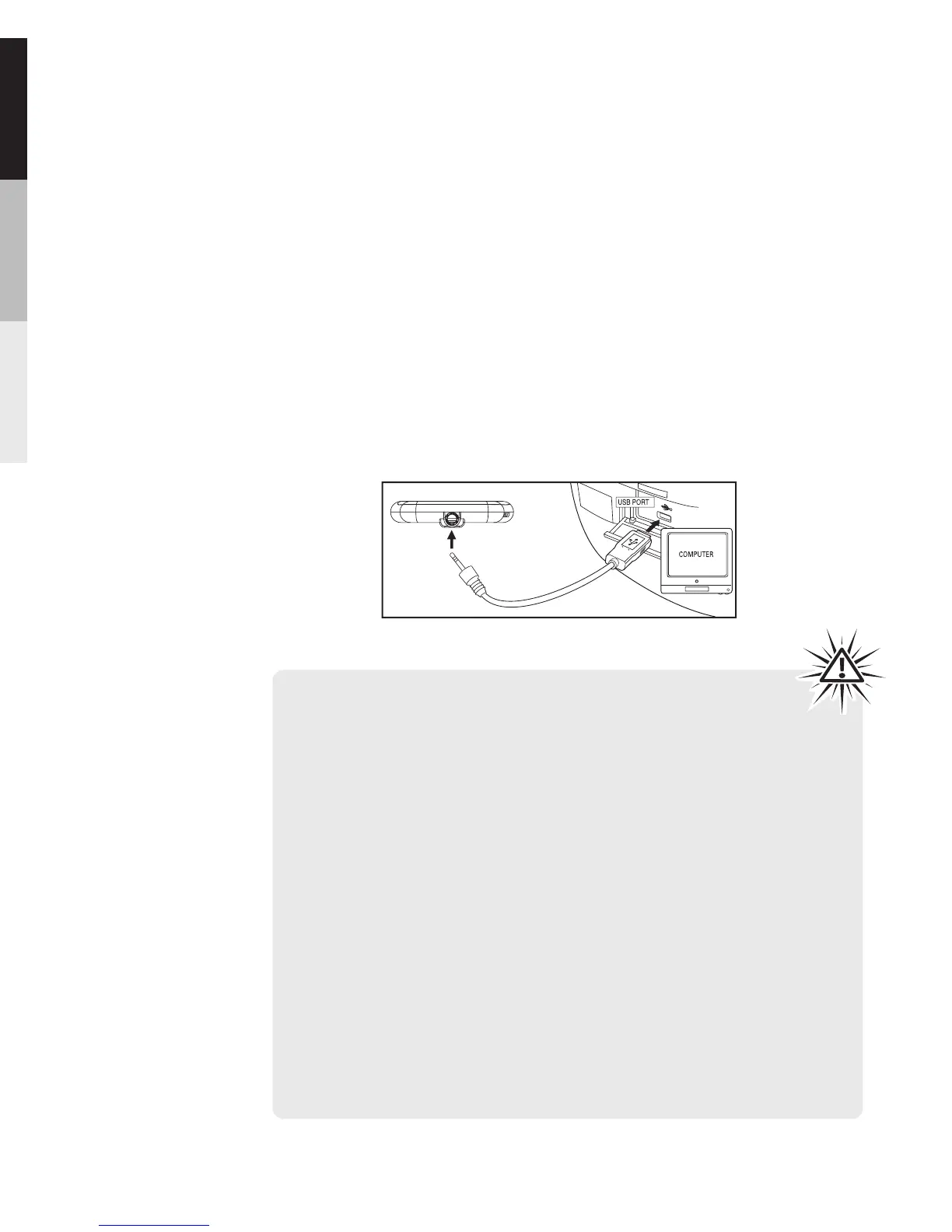
Connecting to the Computer
Connect the player to your computer with the USB cable
provided. The player will turn on automatically. In Windows
Vista or Windows® XP (when Windows Media Player 10
or above is installed),the player will appear as a Windows
portable device using the Media Transfer Protocol (MTP).
If Windows Media Player 10 or above is not installed or if
your computer is running Windows® 2000, the player will
be connected in Mass Storage Class (MSC) mode. It will
appear as a drive letter on your computer and behave as a
detachable drive for file transfer in one or both directions.
Connecting the Player to the Computer
TM
The Player
Warning:
·The USB cable provided is dedicated for this player only.
DO NOT connect this player to the computer with any
other USB cable. DO NOT plug this USB cable in other
USB devices.
·The USB cable provided may damage other products if
plugged into the earphones jack.
Note:
·It might take several seconds for the player to be
detected. Click Refresh in My Computer or Windows
Explorer to make sure the player has been detected.
·The player is capable of transferring files at USB 2.0. If
USB 2.0 port is available on your computer, use it to
connect to your player. The player is still backward
compatible with the older USB 1.1 ports. However, you
will not be able to take full advantage of the potential
speed increase.
24


 To Next Page