
 Need help?
Do you have a question about the VESDA VEP-A10-P and is the answer not in the manual?
Provides critical safety warnings regarding installation, configuration, and use of the product.
Defines the purpose and audience of the product guide for the VESDA-E VEP-A10-P.
Explains typographic conventions and icons used within the document for clarity.
Highlights recommendations to read local codes and standards alongside the document.
Details the equipment's compliance with FCC rules for digital devices and radio frequency energy.
States the product's classification as a Class 1 laser product and associated safety precautions.
Specifies sensitivity requirements for UL/ULC compliance in open area and duct protection.
Details EN 54-20 compliance for sensitivity and flow monitoring requirements.
Notes that WiFi capability must be disabled to comply with Japanese local codes.
Lists the comprehensive features of the VESDA-E VEP-A10-P detector.
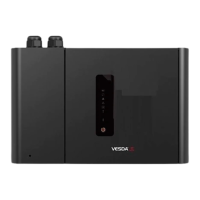
Identifies and illustrates the field-replaceable components of the VEP-A10-P detector.
Explains the operational principle of the detector, from air sampling to alarm reporting.
Details the front panel interface, including status LEDs, buttons, and touch screen.
Describes the function of internal buttons, specifically the AutoConfig button.
Outlines the different communication ports (USB, Ethernet, WiFi) for connecting the detector.
Explains the role of VESDAnet for bidirectional data communication between devices.
Provides detailed technical specifications for the VEP-A10-P detector.
Presents detailed dimensional drawings and measurements for the detector.
Lists key factors for designing an effective air sampling pipe network.
Provides essential points for installing the sampling pipe network correctly.
Details the specifications and usage of the detector's pipe inlet ports.
Explains how to manage the detector's exhaust air port and necessary adaptors.
Guides through initial preparation steps before mounting the detector.
Covers mounting the detector upright, inverted, or with a mounting bracket/template.
Details wiring requirements, socket locations, power source, and communication ports.
Details the procedure for powering up the VEP-A10-P detector after installation.
Provides a checklist to ensure all installation steps are completed correctly.
Outlines steps for a preliminary system check before commissioning the detector.
Explains how to establish communication between Xtralis VSC and the detector.
Details methods for connecting via USB, Ethernet, WiFi, and VESDAnet.
Covers security features like password authentication and access control levels.
Lists and describes commands executable from the detector or Xtralis VSC.
Describes various configuration options: General, VESDAnet, Ethernet, WiFi, Smoke, Airflow, Filter, Referencing, GPI, Relays.
Lists the factory default settings for all configurable parameters of the detector.
Explains setting alarm thresholds based on environmental learning.
Details setting airflow thresholds based on environmental learning.
Describes performing a smoke test to verify pipe network and transport time.
Explains how to put the detector into standby mode for maintenance.
Provides instructions on how to open the detector's front door for access.
Details the procedure for removing and replacing the air sample filter.
Guides on how to remove the detector's fascia for maintenance access.
Explains the steps for removing and installing a new aspirator unit.
Details the procedure for removing and installing a new smoke detection chamber.
Outlines the steps for removing and installing a new sampling module.
Lists available spare parts for the detector with their corresponding part numbers.
Explains how faults are reported to FACPs or BMS systems using relays.
Describes how to interpret fault indicators shown on the detector's front panel.
Guides on using Xtralis VSC software to diagnose and resolve detector faults.
Provides a form to record the VEP-A10-P detector's configuration settings.
Instructions for printing ASPIRE Installation Data Pack for system modeling.
A form to record the results of the commissioning smoke test.
A form for documenting air sampling test results, including transport time.
Defines key terms and acronyms used throughout the VESDA-E VEP-A10-P product guide.
 General
| Brand | VESDA |
|---|---|
| Model | VEP-A10-P |
| Category | Smoke Alarm |
| Language | English |










 To Next Page