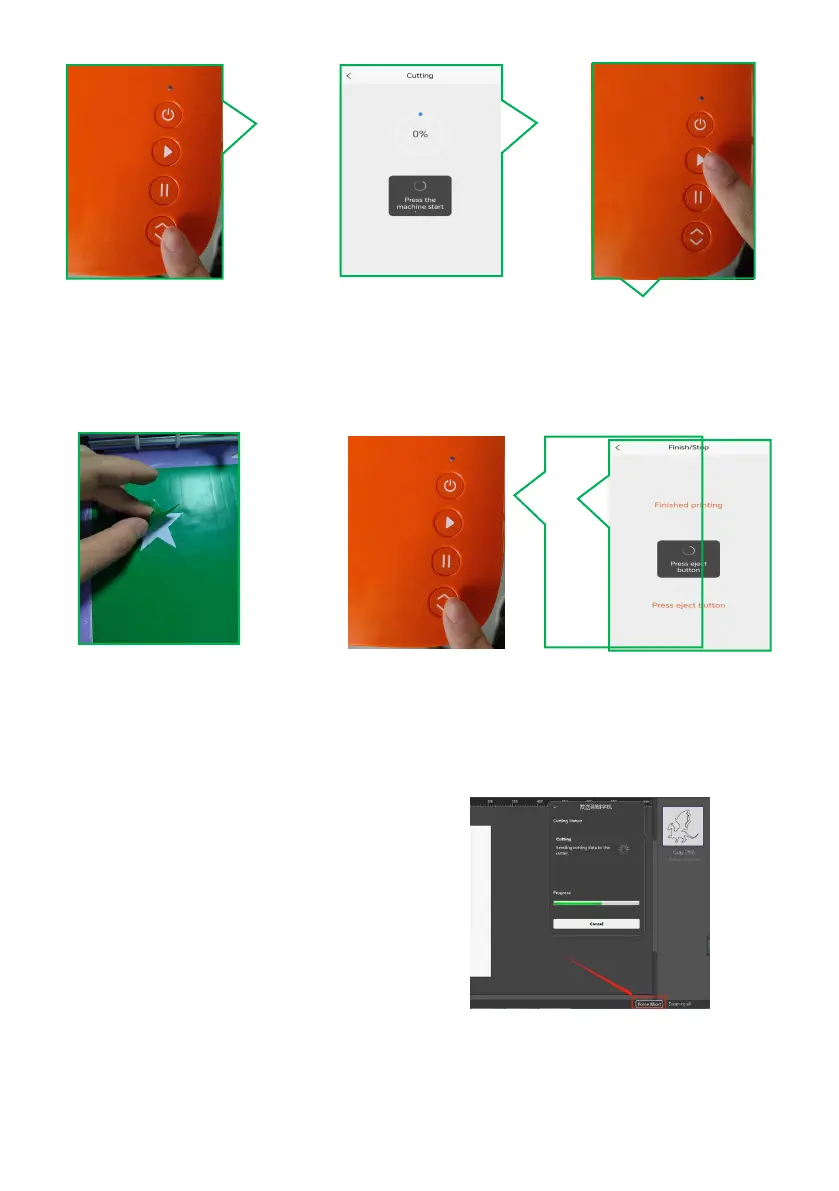
2.28 Press the machine’s
LOAD/UNLOAD button.
2.27 When processing
is complete, the software
prompts you to press the
eject button.
Ⅹ.Frequently Asked Questions
Q:What if the software shuts down during the cutting process and the software
gets stuck?
A:Click “Force Abort” in the software.
Q: The default knife pressure in the material library has been used for cutting for a
while. How can it no longer cut through the material?
A: It's time to replace the blade, the tip is dull and not sharp enough.
Q:What should I do if there is deviation in contour cutting?



 To Next Page