select key to view the caller's detailed informaon.
Please note: The call history displays the last 30 entries and will not be saved
aer shung down.
Only the latest one with the same ID is displayed.
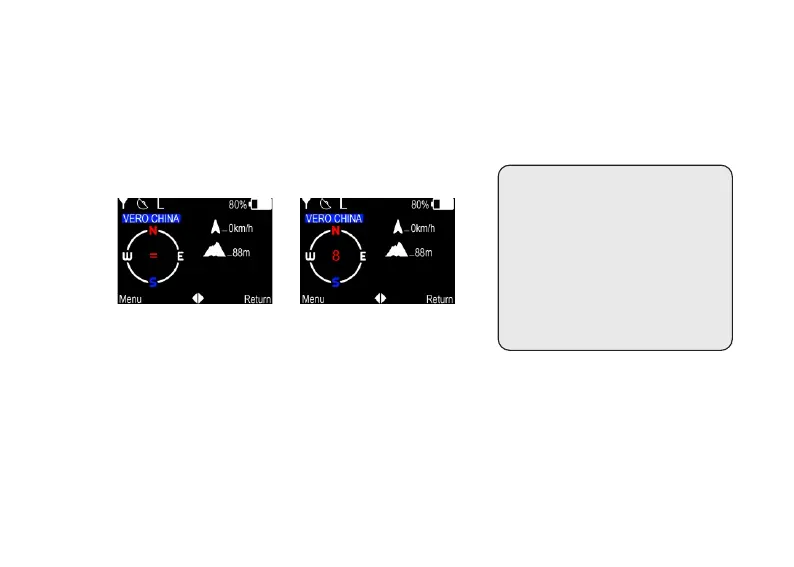
Electronic compass
① Sensor prompt icon.
The "=" icon in the middle of the electronic compass means that it is disturbed
by the external environment.You need to enter the menu [Compass] and
perform correct ion operaons according to the on-screen instrucons. At this
me, aer entering the menu [Compass], the screen will prompt "Please place
the device on a level surface (screen facing up), and then press the [0K] buon
in the upper le corner of the keyboard.
(Figure 6) (Figure 7)
9
*This radio has a built-in
electronic compass sensor,
please do not approach
strong magnets. If an 8-
character symbol appears,
please perform correcon
operaons in the menu.


 To Next Page