1. Download The APP
For Android users, please go to Google play to search for HT to
download the APP.
For IOS users, please go to Appstore to search for BS HT to download
the APP
2. Radio Connect With The APP
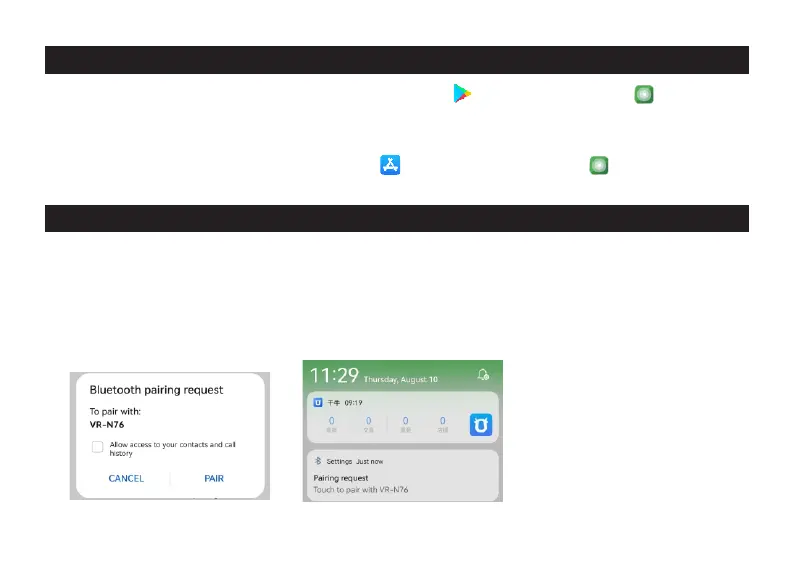
2.1,installed APP,Open the APP, Selected [Pairing ] on the VR-N76 main menu,
App will show”Detected new device VR-N76,do you want to link now”, Click
[Yes],App is connecng the radio. a dialog box will pop up to requiring
Bluetooth authorizaon.(as shown in Figure 1) Click [Pair] Then connect
succussfully.
(Figure 1)
3
(Figure 2)


 To Next Page