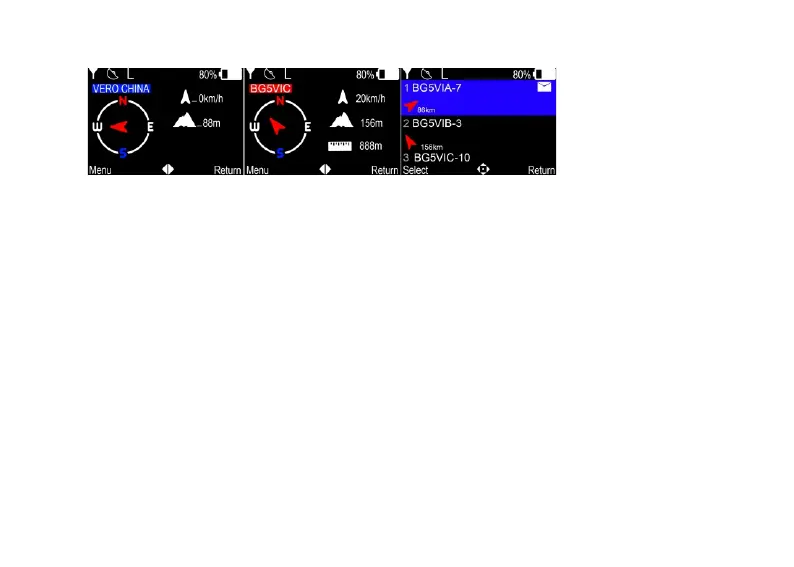
5.3 Split screen display
In standby mode, press the le and right arrows to switch the standby display.
1.Aer turning on GPS posioning and receiving satellites, the speed and
altude informaon of the aircra will be displayed on this interface. The
second icon in the upper le corner is the satellite icon and satellite signal
strength.(Figure 3)
VERO CHINA is The ID name set for this device.
2,This interface displays the latest call records.
BG5VIC is the name of the other party’s device in the latest call
The speed is the opponent's current running speed.
The altude is the altude of the other party.
The distance is the distance between the other person and me.
3.This interface displays a list of recent calls. You can use the up and down
arrow keys to select the informaon you want to view, and then press the
(Figure 3) (Figure 4) (Figure 5)
8


 To Next Page