Buon definion
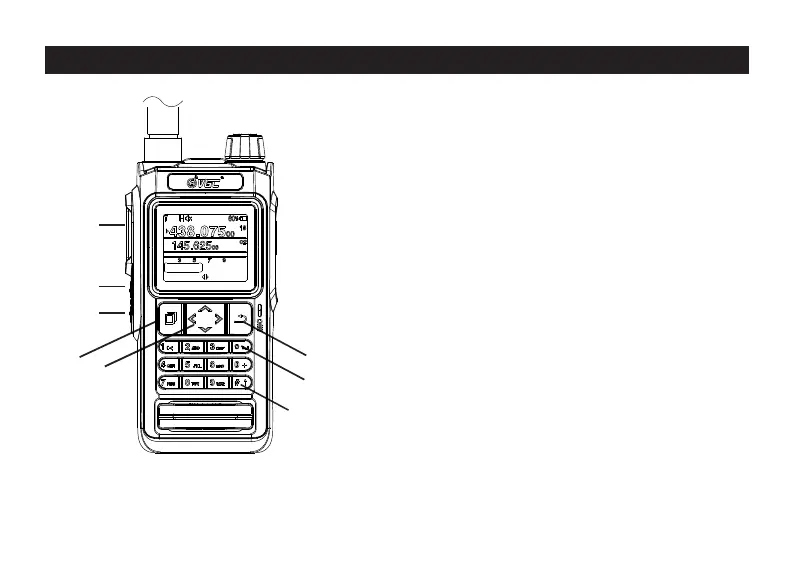
① Menu/Confirm key;
② In standby mode, press the le and right
buons to switch the screen display state.
Press the up and down buons to switch
frequencies or channels up and down;
③Return buon. In the dual-watch state,
pressand hold the return buon to switch
between the main band and the sub-band;
④* key, in standby mode, long press the * key
to switch between VFO and channelmode;
⑤# key, in standby mode, press and hold
the # key to lock the keyboard.
Press and hold the # key again to unlock the
keyboard.
4.P roduct Overview
6
PTT
P1
P2
①
②
④
③
⑤
VERO Ch in a
Menu



 To Next Page