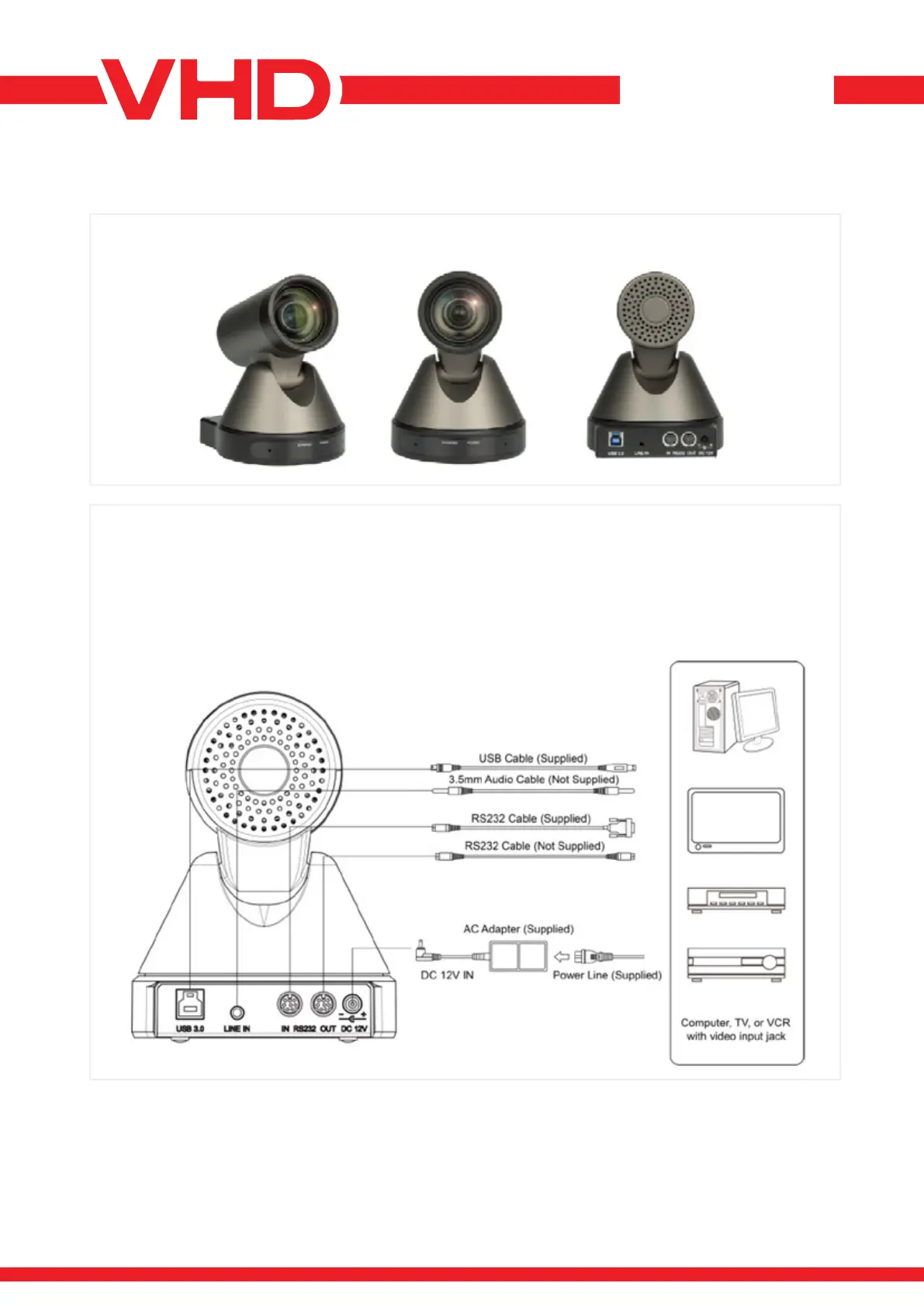
> APPEARANCE AND INTERFACE
VHD-V71U2
DATASHEET - MANUAL
> QUICK START
1) Please check connections are correct before starting.
2) Connect the power adapter to the power connector on the rear panel of the camera. The power indicator on
the front panel of the camera is on.
3) After the camera is powered on, it starts to initialize, right up to the limit position, and then both horizontal
and vertical go to the middle position, the motor stops running, and the initialization is completed.
(Note: If preset 0 is saved, PTZ will be set to preset 0).


 To Next Page