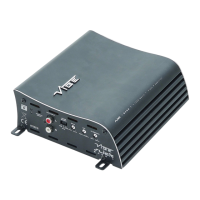
8. Crossover mode select switch
This control is used to select the crossover mode of the amplier. FLAT is for full range output, HPF is
used to limit the amount of low frequency information passed to the speakers and LPF is used to limit
the amount of high frequency information passed to the speakers.
Note : When LPF is selected the HPF is also active as a subsonic lter, for the maximum frequency
range please ensure that the HPF is set to 5Hz or a desireable frequency.
9. Phase shift control
This control is used to alter the output phase of the amplier and is variable between 0° and 180°
10. Low level input
For connection to any source (headunit) with a low level output. This is your RCA output from the
source.
11. High level input
For connection to the speaker output of your source (head unit). This is to be used if the source
(headunit) does not have a low level output.
12. Remote level control port
For connection to the supplied remote level control.
13. Speaker terminals
Used to connect speaker cables to the amplier. See the wiring conguration section for more details.
14. Power / protect LED
If the amplier is operating normally, the GREEN LED will illuminate.
If the amplier is in protection mode the RED LED will illuminate.
15. Power terminals
Used to connect DC power to the amplier. See the power connections section for more details
7
CVEN Stereo 2 Terminals And Connections
CVEN Stereo 2 Wiring Conguration : 2 Channel
CVEN Stereo 2 Wiring Conguration : Bridged
1Ω minimum impedance
2Ω minimum impedance


 To Next Page
 Loading...