028 -0427-15 _UI-V T8350_ A4 _ EN www.viconics.com June 2020
26
VT8350 [ User Interface Guide ]
MAC address:
90:70:65:f9:06:16
Firmware version:
1.0.1 B12
Push to Restart Wi-Fi
PARAMETER DETAILS
Conguration Parameters Default Value Signicance and Adjustments
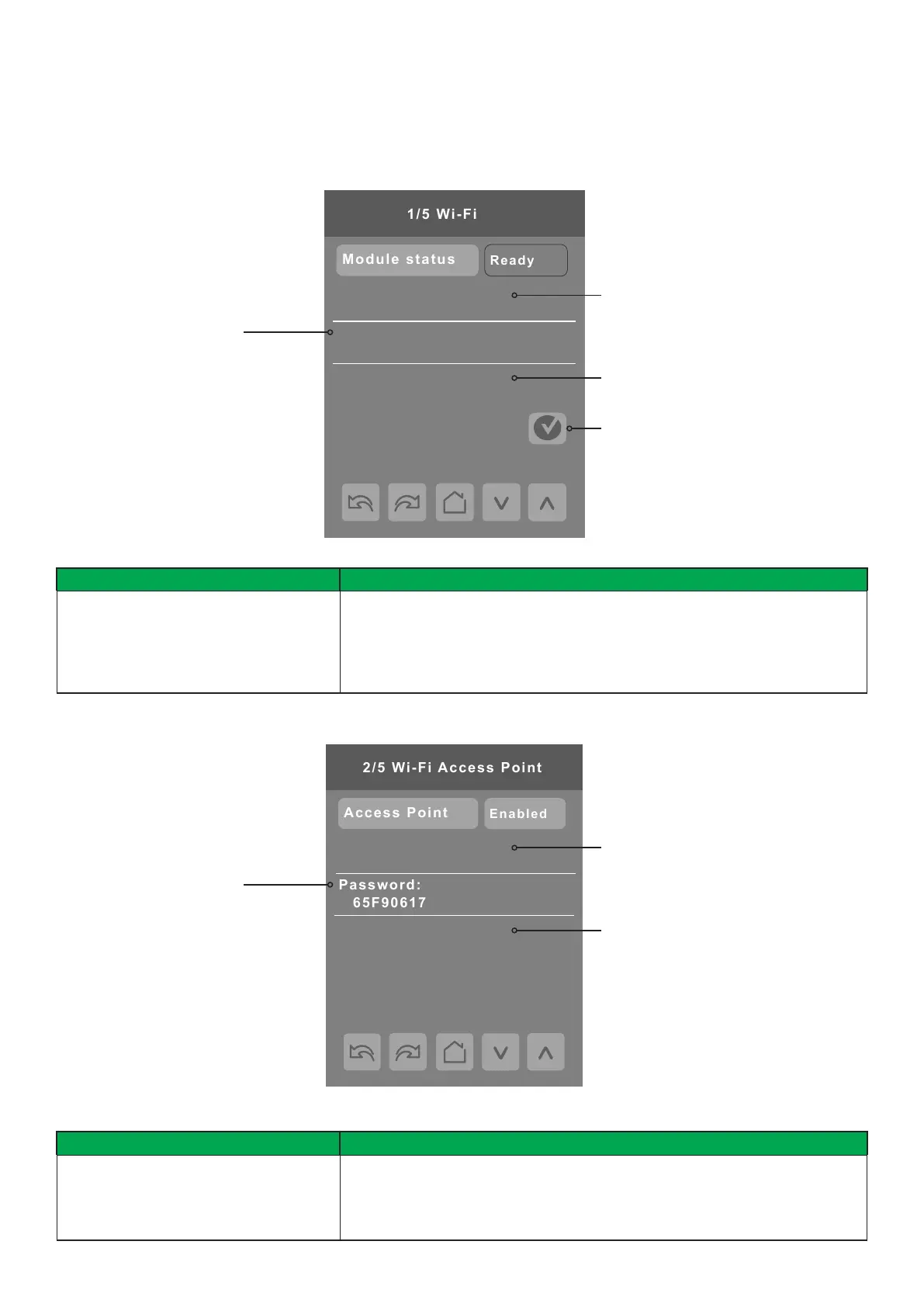
Module status
Read Only
Module Status
Displays the current status of the Wi-Fi module. It would normally display Ready
when the Wi-Fi module is operational.
Status value: Ofine, Booting, Initializing, Ready, Fail
Wi-Fi 1/5
The Wi-Fi Network screen shows only in models with optional Wi-Fi module (VCM8002).
The device name can be set and edited
from the Conguration Web Page
Firmware version of the
Wi-Fi module
MAC address of the Wi-Fi module
PARAMETER DETAILS
Conguration Parameters Default Value Signicance and Adjustments
Access point
Default value: Disabled
Access Point
On this screen the access point can be enabled or disabled as needed.
Choices: Enabled or Disabled
Wi-Fi 2/5
The SSID of the Access Point created
by the Wi-Fi module. You can add
your device to this network to access
the Conguration Web Page
The password needed
to connect to the Access
Point Wi-Fi network
When connected to the Access
Point, browse to this IP address
to access the Conguration Web
Page
Restart Wi-Fi button


 To Next Page
 Loading...








