028 -0427-15 _UI-V T8350_ A4 _ EN www.viconics.com June 2020
27
VT8350 [ User Interface Guide ]
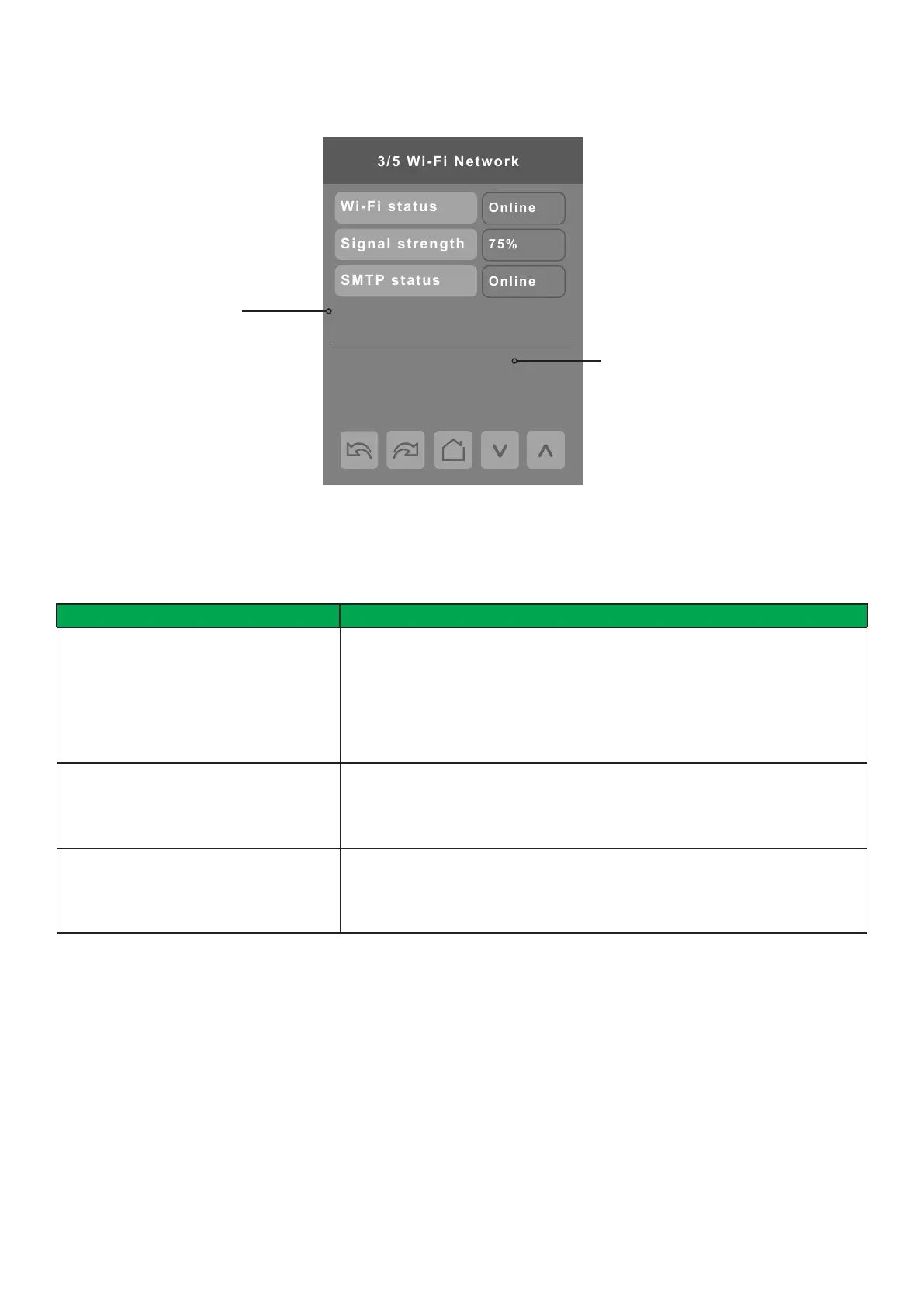
IP address:
192.168.171.40 (dhcp)
PARAMETER DETAILS
Conguration Parameters Default Value Signicance and Adjustments
Wi-Fi status
Read Only
Wi-Fi Status
When not connected to a Wi-Fi network the status remains Idle. Once the RC is
on your preferred Wi-Fi network, the status will be displayed as Ready, or Online
if it has an internet connection.
Status value: Idle, Connected, Associate, Cong, Ready, Online, Disconn,
Failure
Signal strength
Read Only
Signal Strength
Signal strength of the Wi-Fi network.
Range: 0 to 100%
SMTP status
Read Only
SMTP Status
Status of the email SMTP server.
Status value: Disabled, Ofine, Online
Wi-Fi 3/5
SSID of the building Wi-Fi
network that the device is
connected to
When connected to the building Wi-Fi
network shown above, browse to this
IP address to access the Conguration
Web Page


 To Next Page
 Loading...








