028 -0427-15 _UI-V T8350_ A4 _ EN www.viconics.com June 2020
30
VT8350 [ User Interface Guide ]
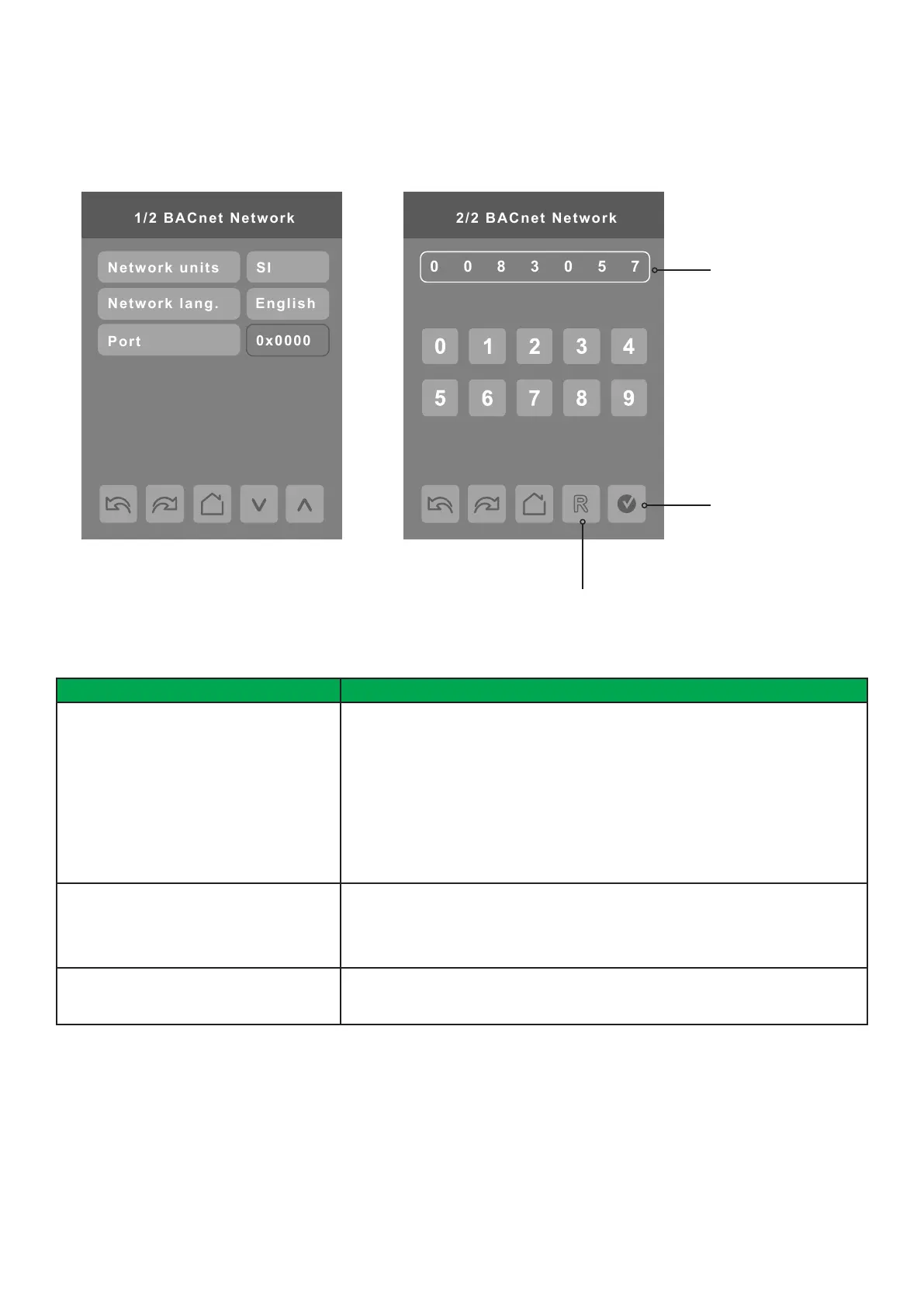
Wi-Fi BACNET NETWORK SETTINGS
BACnet network screens are shown when the wired protocol is set to BACnet or a Wi-Fi module is installed with BACnet/IP
enabled. Only one BACnet protocol can be used at a time, either the wired protocol BACnet MS/TP (BACnet Network screens), or
the Wi-Fi BACnet IP (Wi-Fi screens).
PARAMETER DETAILS
Conguration Parameters Default Value Signicance and Adjustments
Network units
Default value: SI
Measurement Units
Network units transmitted over the BACnet network.
NOTE: Use the Temperature scale parameter to change the display units locally
on the Room Controller.
Imperial: Network units shown as Imperial units.
SI: Network units shown as International Metric units.
Choices: Imperial or SI
Network lang.
Default value: English
Network Language
Network language/object names transmitted over network.
Choices: English, French or Spanish
Port
Default value: 0
Read Only
Port
The unique short address of Wi-Fi BACnet IP
Instance number of
Room Controller
Accept and save
Reset to automatic
instance addressing
BACNET INSTANCE NUMBER
The default BACnet instance number is generated by the model number and COM address of the Room Controller. For example,
the instance number of a VT8350U5B00 with a COM address of 57 is generated as “83057”.
The default instance number appears rst. To change the instance number, use number pad and press Accept and save.
Tap “R” icon to reset to automatic instance addressing.


 To Next Page
 Loading...








