028 -0427-15 _UI-V T8350_ A4 _ EN www.viconics.com June 2020
43
VT8350 [ User Interface Guide ]
Conguration Parameters Default Value Signicance and Adjustments
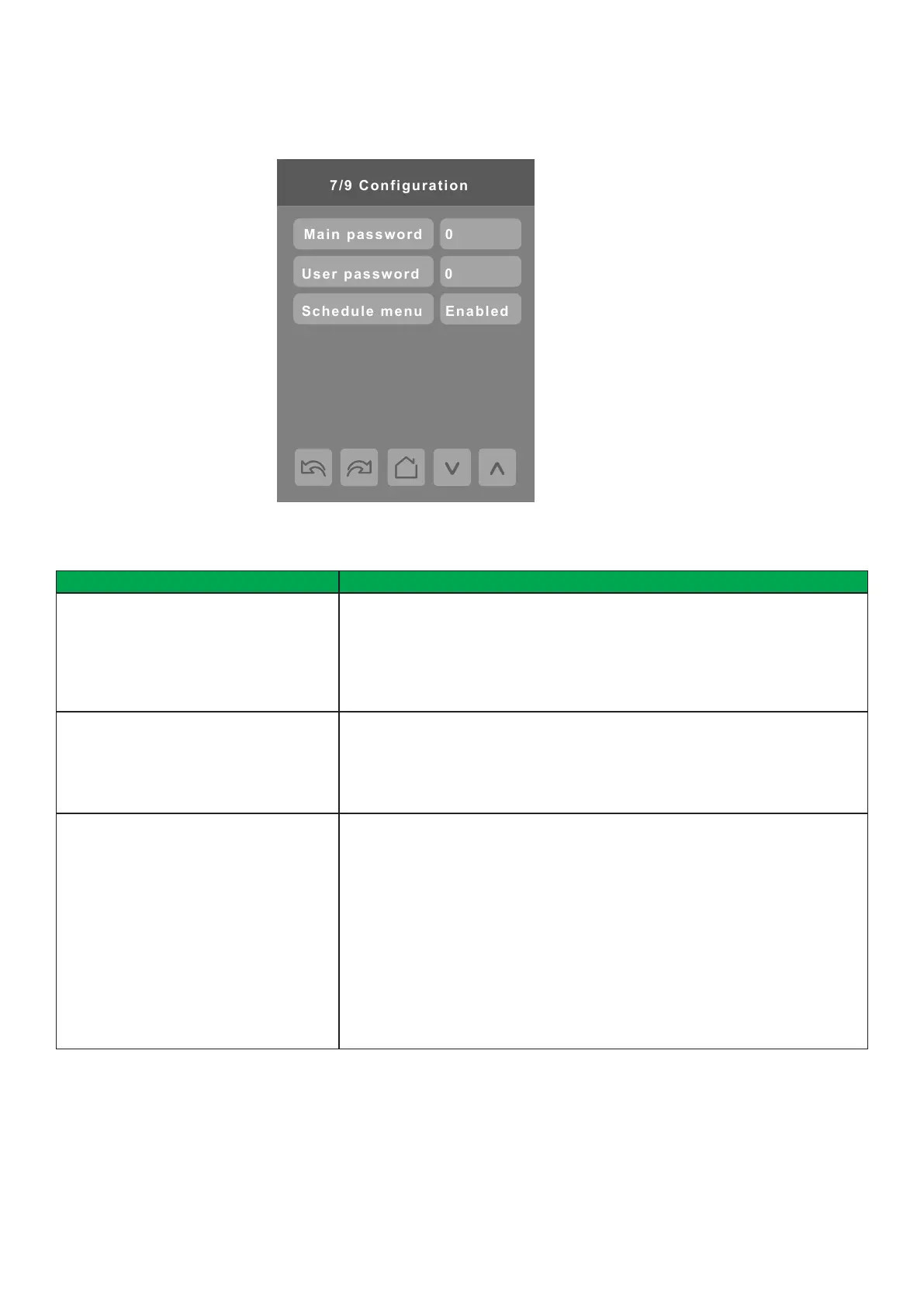
Main password
Default value: 0
Main Password
Sets a protective access password to prevent unauthorized access to
conguration menu parameters. A default value of “0” will not prompt for a
password or lock access to the conguration menu.
Range: 0 to 9999.
User password
Default value: 0
User Password
Sets a protective access password to prevent User unauthorized access to main
screen adjustments. A default value of “0” will not prompt for a password.
Range: 0 to 9999.
Schedule menu
Default value: Enabled
Schedule Menu
Toggles activation of schedule menu direct access.
Enabled: Schedule Menu is directly accessible from the main screen via a touch
in the upper corner.
Disabled: Schedule Menu can only be accessed through the Setup Menu
screens.
En.no.clk: Schedule Menu is directly accessible from the main screen via a touch
in the upper corner. Clock does not show.
Dis.no.clk: Schedule Menu can only be accessed through the Setup Menu
screens. Clock does not show.
Choices: Enabled, Disabled, En.no.clk and Dis.no.clk
CONFIGURATION 7/9
PARAMETER DETAILS


 To Next Page
 Loading...








