267
Audio Overview
Audio System Overview
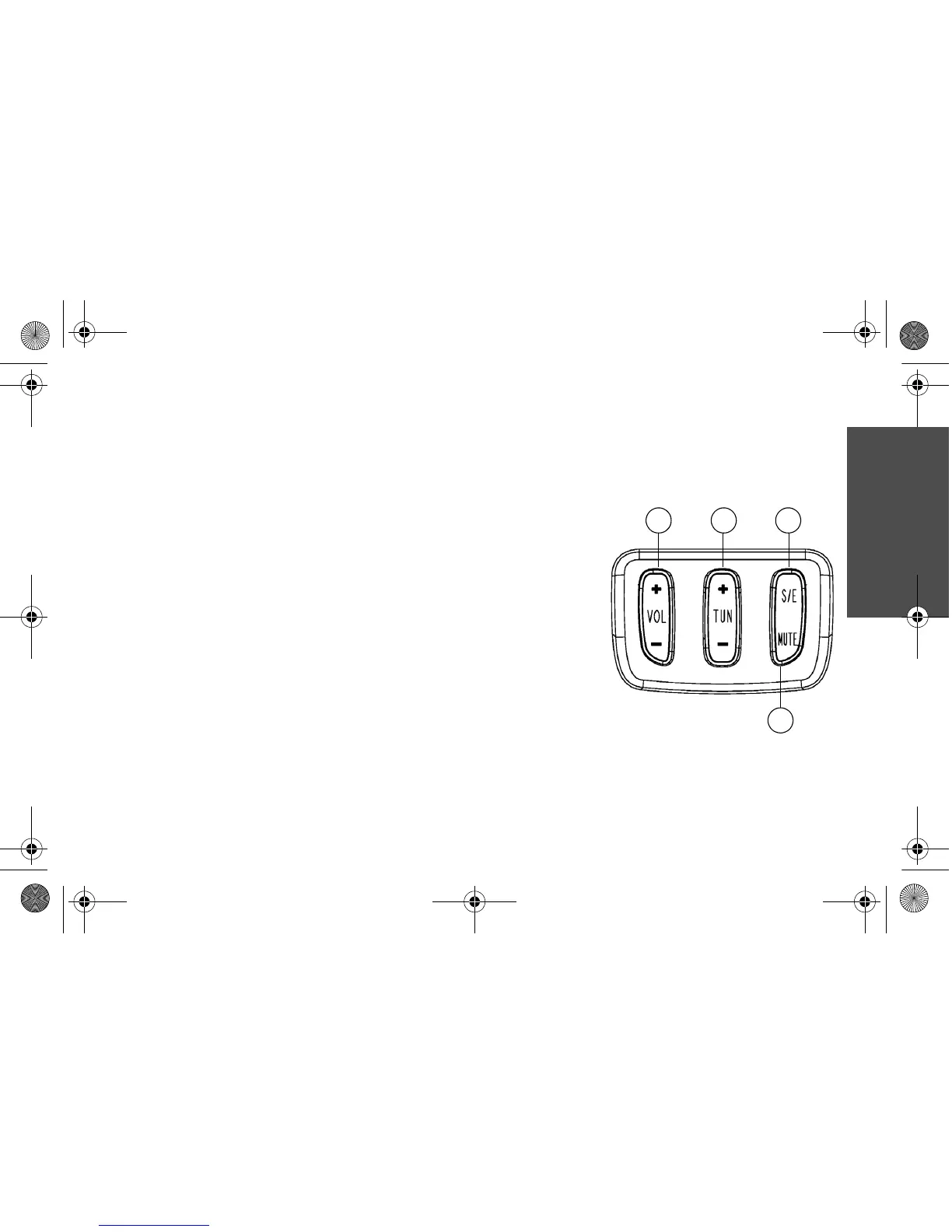
Audio Controls
Operation of the left handlebar audio controls is outlined in greater detail on the following
pages.
1. Volume: Press to increase (+) or decrease (-) audio
volume. Press and hold to rapidly increase or decrease
volume.
2. Tuner: Press (+) or (-) to change radio stations or
iPod tracks. Press and hold to automatically seek or
scan.
3. Source/Exit (S/E): Press S/E to cycle through avail-
able sources or to exit the current mode.
4. Mute: Press MUTE to silence audio and pause the
iPod.



 To Next Page