STEP TWO: HOW DO I SET IT?
1.
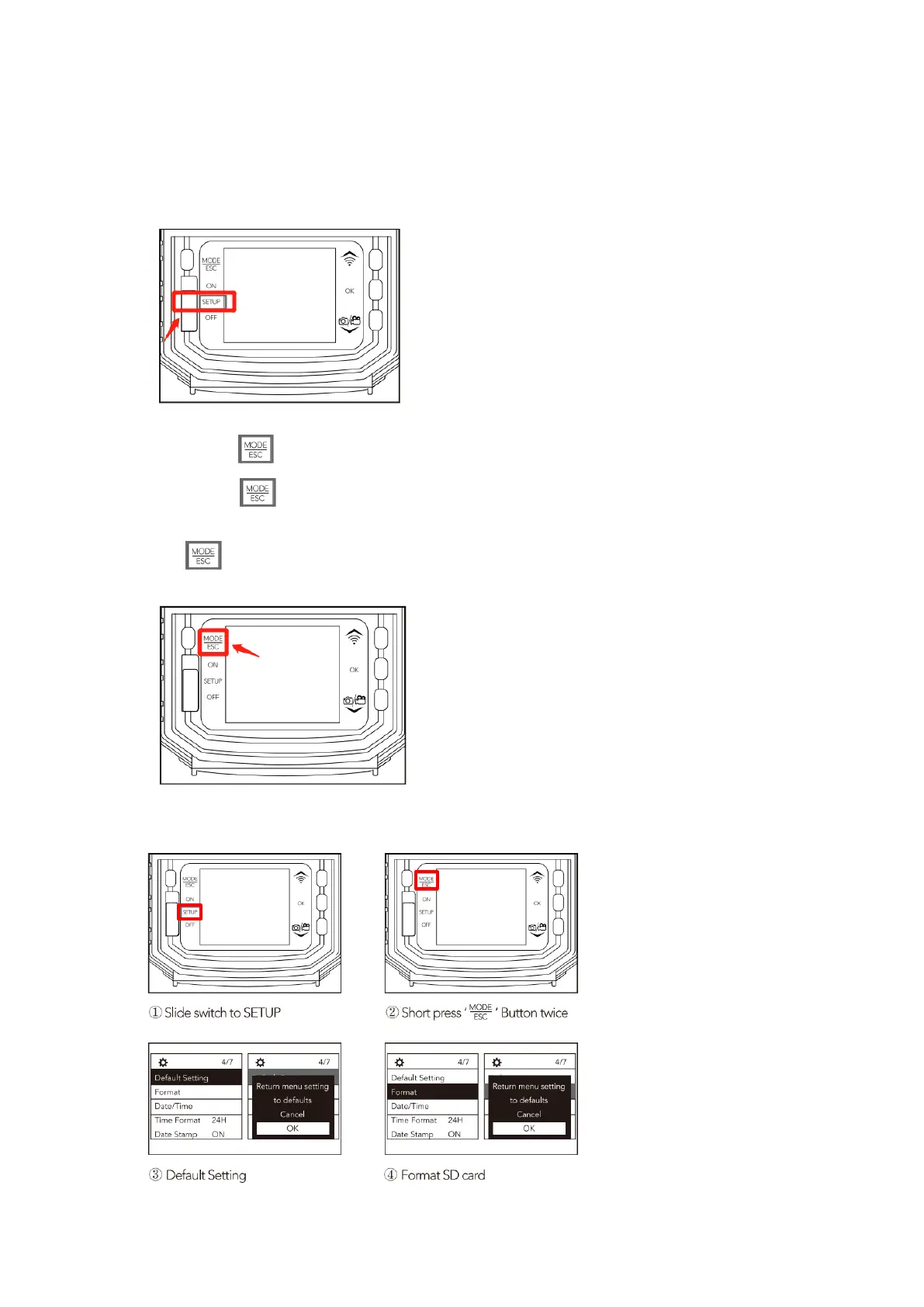
Slide the Switch Button to the【SETUP】position.The camera enters test mode.The screen will
light up.
2.
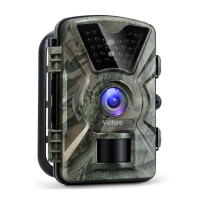
Short press Button once You can view the pictures and videos taken by the camera.
3.
Short press Button twice and enter the setting interface. Here, you could press the UP
and DOWN arrow to change the option, then press the OK button to confirm selection or press
the button to return to the last interface. (Under the TEST mode, you could also press
the OK button to take photos or videos manually.)
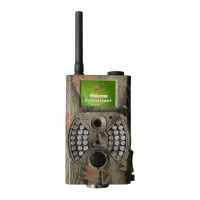
>How To Reset the Camera and Format the SD Card?


 To Next Page