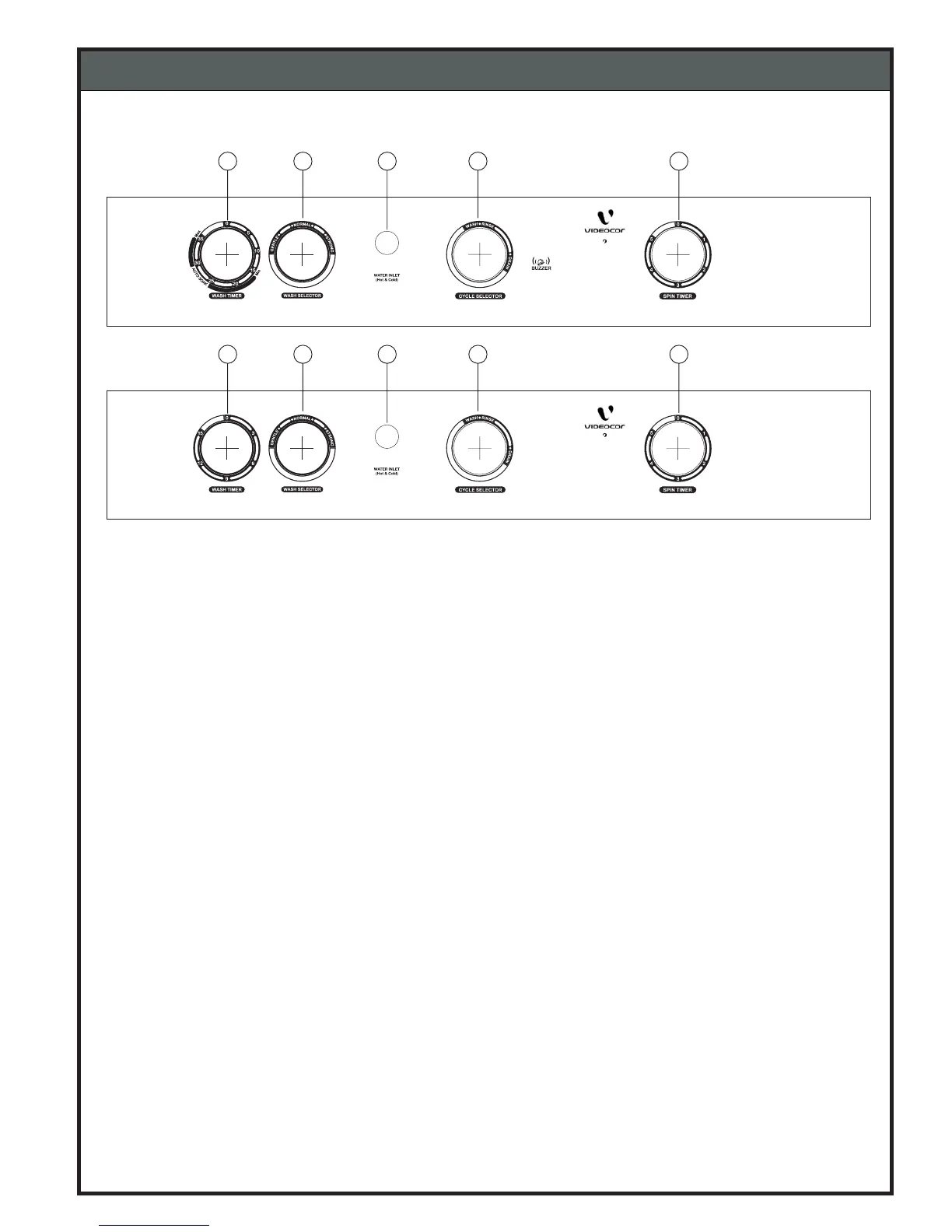
5-2. CONTROL PANEL INFORMATION
5. OPERATING INSTRUCTION
1. Water Inlet : This is used to direct water supply to wash tub for washing or spin tub for spin shower.
2. Wash Timer : This timer is used for Auto SOAK, WASH and RINSE operations.
Following combination can be selected.
A) Auto Soak + Wash :- Select the desire soak time by setting the
Timer between 15 ~ 35 min., (”SOAK” not available in model “AQUA”)
B) Wash/Rinse :- You can select any Wash/Rinse time up to 15min. if
you want Wash/Rinse time for shorter duration turn the knob up to
10min. position and then turn it back to desired position.
3. Wash Selector : Set the knob to ‘STRONG’, ‘GENTLE’, ‘NORMAL’ according to kinds and
quantity of the laundry.
4. Cycle Selector : This selector is to set for “WASH/RINSE” or “DRAIN” the water from wash tub.
- WASH / RINSE for wash & rinse program.
- DRAIN for draining the water from the wash tub.
5. Spin Timer : This timer is used to select your desired length of time to spin laundry by
using 5 minutes timer. (if you want to set the timer to 2 min. or less, turn the
selector up to the 5 min. position, and then turn it back to the desired position.
Note : Do not rotate the knobs more then prescribed limits.
10
SHINE 6.0 kg
STAR 6.0 kg
Wash
Ec
1
2
3
4
5
Wash
Ec
1
2
3
4
5


 To Next Page