ENGLISH
2
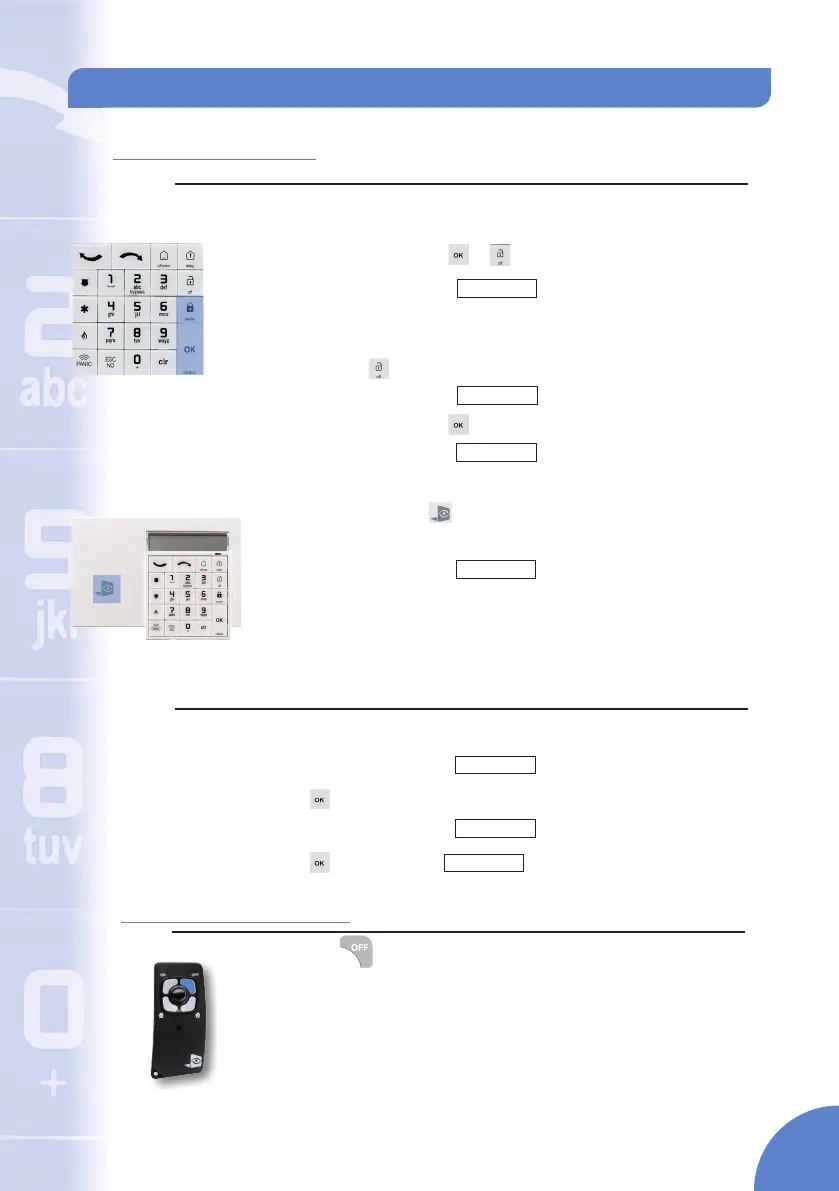
1. Keypad (XMA/WMB)
No Event:
Code Disarming (XMA/WMB)
Enter access code and press or to conrm.
The keypad display will show
Quick Disarm (XMA/WMB):
Press and hold until the keypad rapdily beeps three times.
The keypad display will show
Enter access code and press
The keypad display will show
Keypad Badge Reader (WMB):
Present the badge to the symbol on the keypad and hold it for 2 seconds.
The keypad beeps once and shows a green LED to conrm.
The keypad display will show
Event Acknowledgment: During disarming you must acknowledge any events
that have happened since the system was last armed.
Perform any of the above disarming options
The keypad display will show
Press to acknowledge that the event has occured since last arming
The keypad display will show
Press , display will show
Disarming - Off
Mon 01/02 04:49
DISARMED LVL:1
"Event"
DISARMING
BADGE OR CODE
"Event"
"Device Name"
Mon 01/02 04:49
DISARMED LVL:1
Mon 01/02 04:49
DISARMED LVL:1
Mon 01/02 04:49
DISARMED LVL:1
2. Remote Control (RC)
Press the button and instantly release after the rst beep
The remote control will beep twice in conrmation
Note: A single low tone noties the command was not recieved at
the control panel. Move closer to the control panel and reattempt to
disarm the system.
The system is disarmed.
3


 To Next Page