Installation Instructions
18 of 38
IM-PP 724607 1218 ProPress
System components may, in some cases, become damaged through
transportation and storage.
■ Check all parts.
■ Replace damaged components.
■ Do not repair damaged components.
■ Contaminated components may not be installed.
4 Installation Instructions
4.1 Check System Components
4.1.1 Replacing the Sealing Element
Damage to the Sealing Element
If damage to the sealing element, separator ring, or grip ring is
discovered, contact a Viega District Manager for assistance.
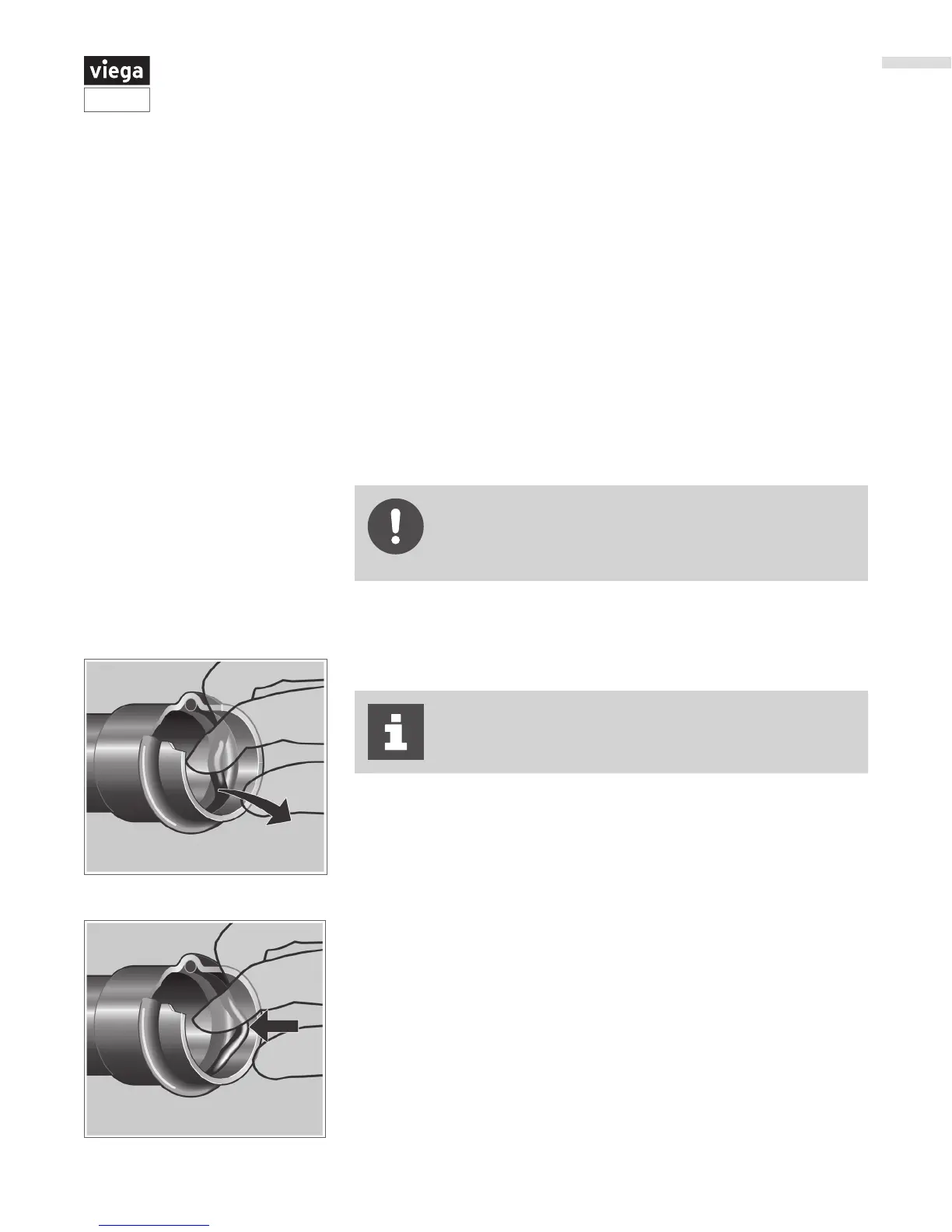
Do not use metallic pointed or sharp objects during
removal because they could damage the sealing element
and/or bead. Try using a toothpick instead.
If the sealing element in the tting is obviously damaged, it should be
exchanged for a Viega replacement sealing element.
▶ Insert new, undamaged sealing element into the bead.
▶ Check to make sure that the whole sealing element is in the bead.
▶ Remove the sealing element from the bead.


 To Next Page