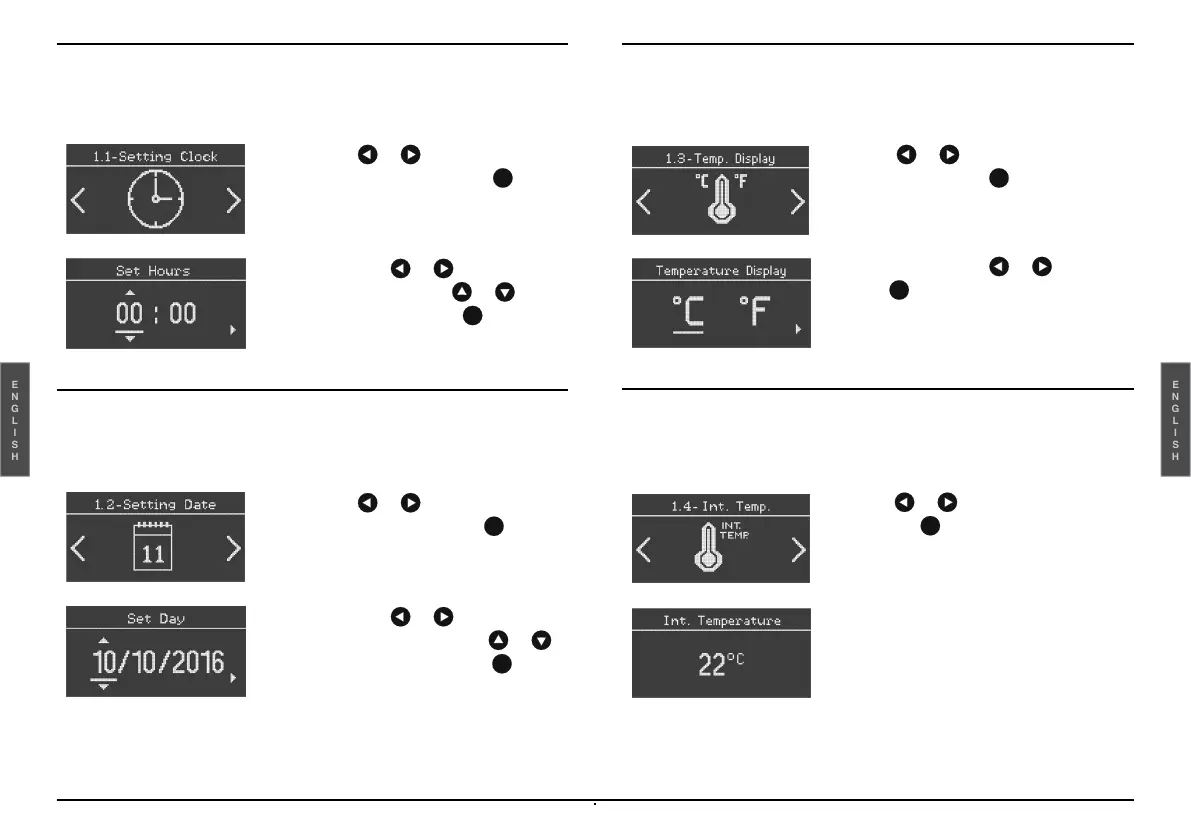
Time setting
This function allows the time to be set.
Date setting
This function allows the date to be set.
Temperature measurement unit
This allows you to choose between °C and °F.
Internal temperature
It allows you to view the inside temperature of the vehicle.
-
Select the or key until Setting
Clock is displayed and press to
confirm.
-
Select with the or key the hours
or minutes and with the or key
the numeric value. Press to
confirm.
-
Select the or key until Setting
Date is displayed and press to
confirm.
-
Select with the or key the day,
month and year and with the or
key the numeric value. Press to
confirm.
-
Select or until Temp. Display
appears then press to confirm.
-
Select °C or °F with or and
press to confirm.
-
Select or to display Int. Temp.
and press to confirm.


 To Next Page