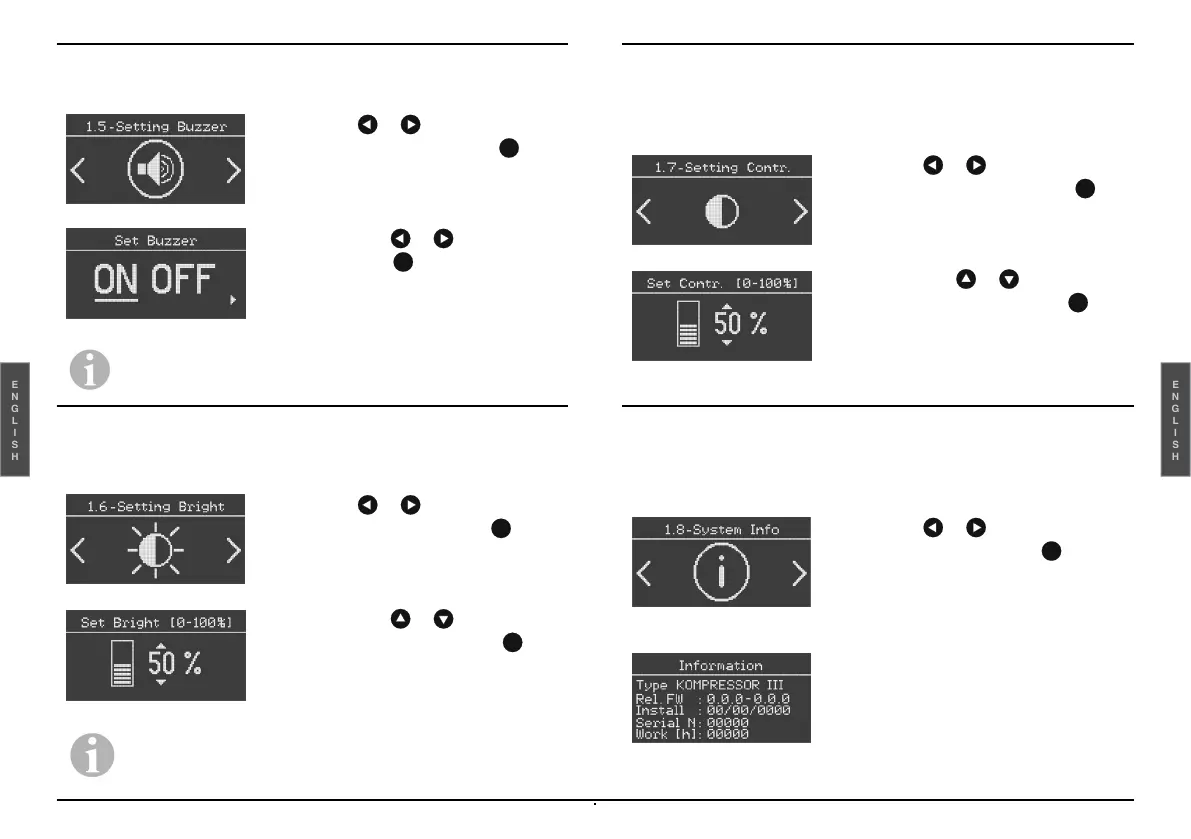
Key Tone (sound feedback)
This function allows the key tone to be activated or deactivated.
Brightness setting in standby mode
This function allows the display brightness to be adjusted in stand-by
mode.
Contrast setting
It allows the system information to be displayed.
System Information
It allows the system information to be displayed.
-
Select the or key until Setting
Buzzer is displayed and press to
confirm.
-
Select with the or key ON or
OFF and press to confirm.
Important: In the case of fault or warning, the unit will still
produce an audible alarm even if the tone has been
deactivated.
-
Select the or key until Setting
Bright is displayed and press to
confirm.
-
Select with the or key the
numerical value (%) and press to
confirm.
Important: Every time a key is pressed, the display brightness
is at 100% while after 10 seconds of inactivity, the brightness
will return to the level set with this function (0-100%).
-
Select the or key until Setting
Contrast is displayed and press to
confirm.
-
Select with the or key the
numerical value (%) and press to
confirm.
Within the function it is possible to
display in the following order:
- Model name;
- Software version;
- Installation date;
- Serial number;
- Accumulated work hours.
-
Select the or key until System
Info is displayed and press to
confirm.



 To Next Page