35
Remove these 3 labels. Apply the labels in the follow-
ing positions:
■
For commissioning, affix a label to the place marked
on the type plate.
■
Affix a label in the space provided in the operating
instructions.
■
For later use, affix a label here:
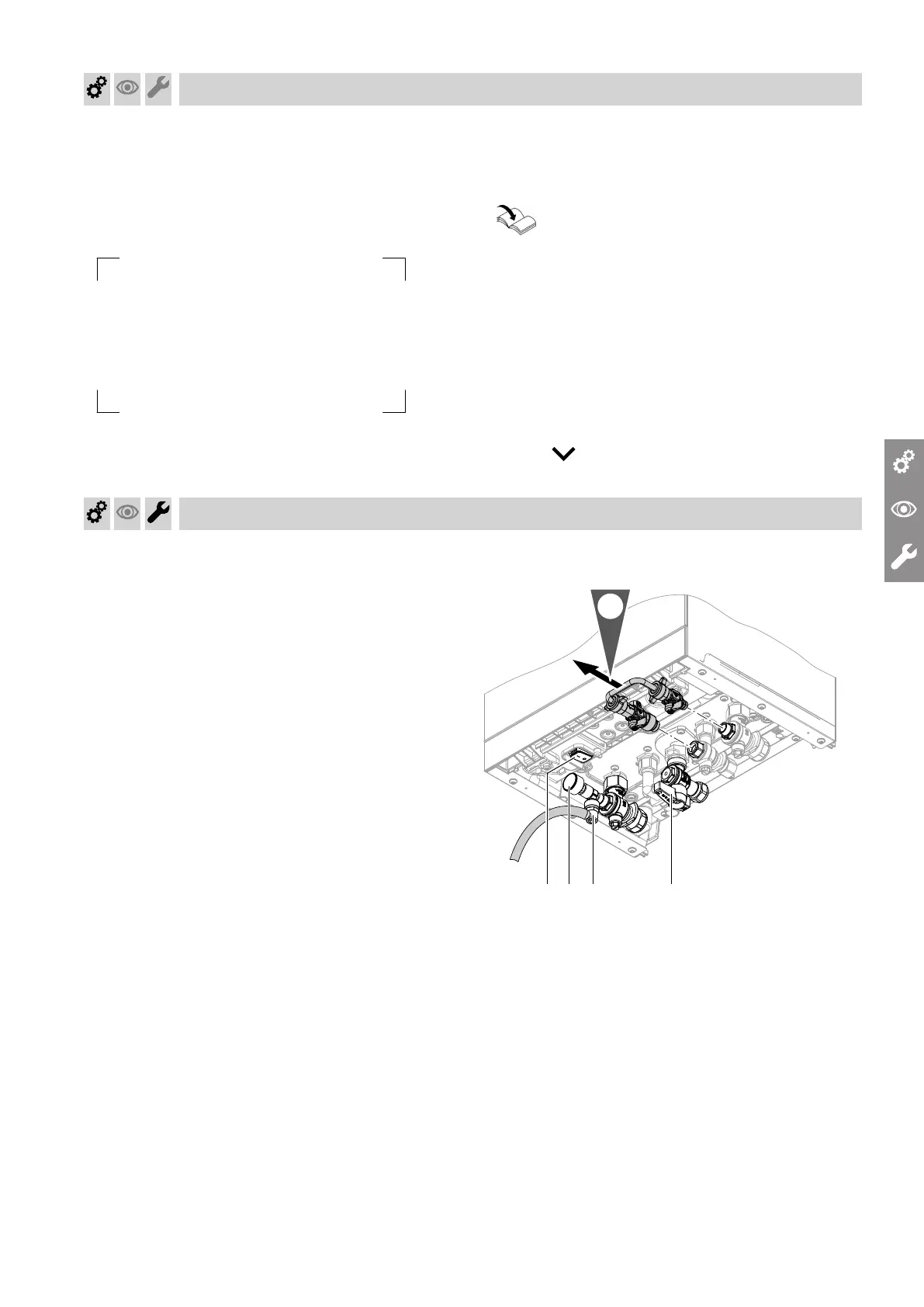
Fig. 22
Switch on the WiFi connection. Establish a connection
to the router:
■
Information on WiFi: See chapter "WiFi operational
reliability and system requirements".
■
Establishing an internet connection
Operating instructions
Note
If "E10" is displayed, the connection to the home net-
work could not be established. Check the router and
the network password.
If "E12" is displayed, the connection to the server
could not be established. Re-establish the connection
at a later time.
Note
If the communication module is to be switched on or
off, press and OK simultaneously for 4 s.
Filling the heating system
Fill water
As a heat transfer medium for DHW heating, the heat-
ing water must meet fluid category ≤ 3. This require-
ment is met if water of potable quality is used as heat-
ing water. For example, if additives are used, the addi-
tive manufacturer must specify which category the
treated heating water comes under.
!
Please note
Unsuitable fill water increases the level of
deposits and corrosion and may lead to appli-
ance damage.
■
Flush the heating system thoroughly before
filling.
■
Only use fill water of potable water quality.
■
Special antifreeze suitable for heating systems
can be added to the fill water. The antifreeze
manufacturer must verify its suitability.
■
Fill and top-up water with a water hardness
above 300 ppm must be softened, e.g. with a
small softening system for heating water.
Fig. 23
Commissioning, inspection, maintenance
Commissioning the system (cont.)
6221465







 To Next Page