41
Coding
Coding 2
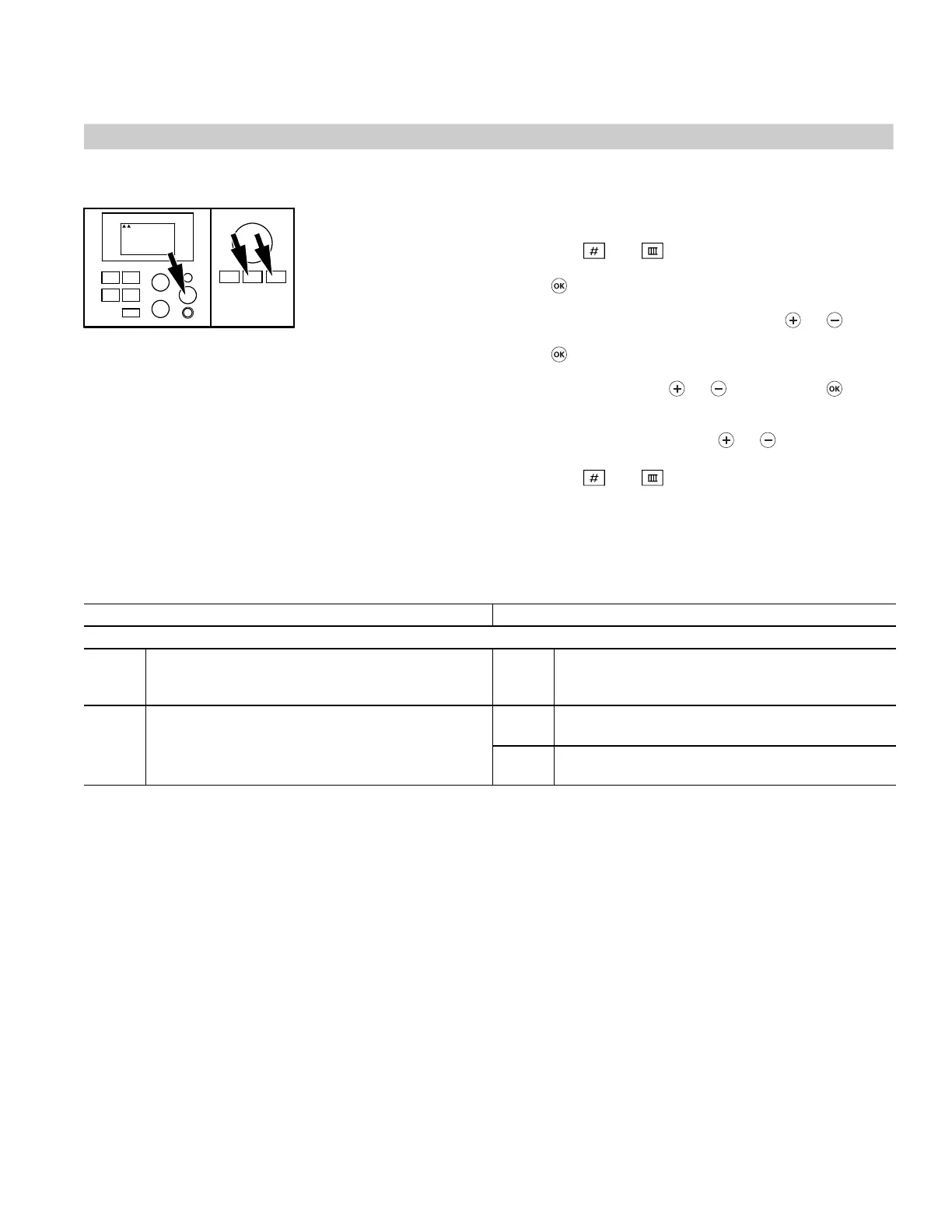
Calling up Coding 2
1. Press the and buttons simultaneously for
approx. 2 seconds, until the first arrow appears; confirm
with .
2. Select the required coding address with or ;
Select the coding address, the address flashes; confirm
with , the value flashes.
3. Change the value with or ; confirm with .
The display briefly shows Adopted the address flashes
again.
Call up further addresses with or .
4. Press the and buttons simultaneously for
approx. 1 second.
Summary
Coding in the factory default setting Possible change
General
4b: 0 Sensor aJ not installed 4b: 1 Sensor aJ installed
(e.g. return temperature sensor); automatic
recognition
76: 0 Without communication module 76: 1 With LON communication module; automatic
recognition
76: 2 With Viessmann 2-wire BUS communication
module; automatic recognition
5285 967 v1.2
1234567











 To Next Page