4 ViewClix support: www.viewclix.com/help or email to help@viewclix.com
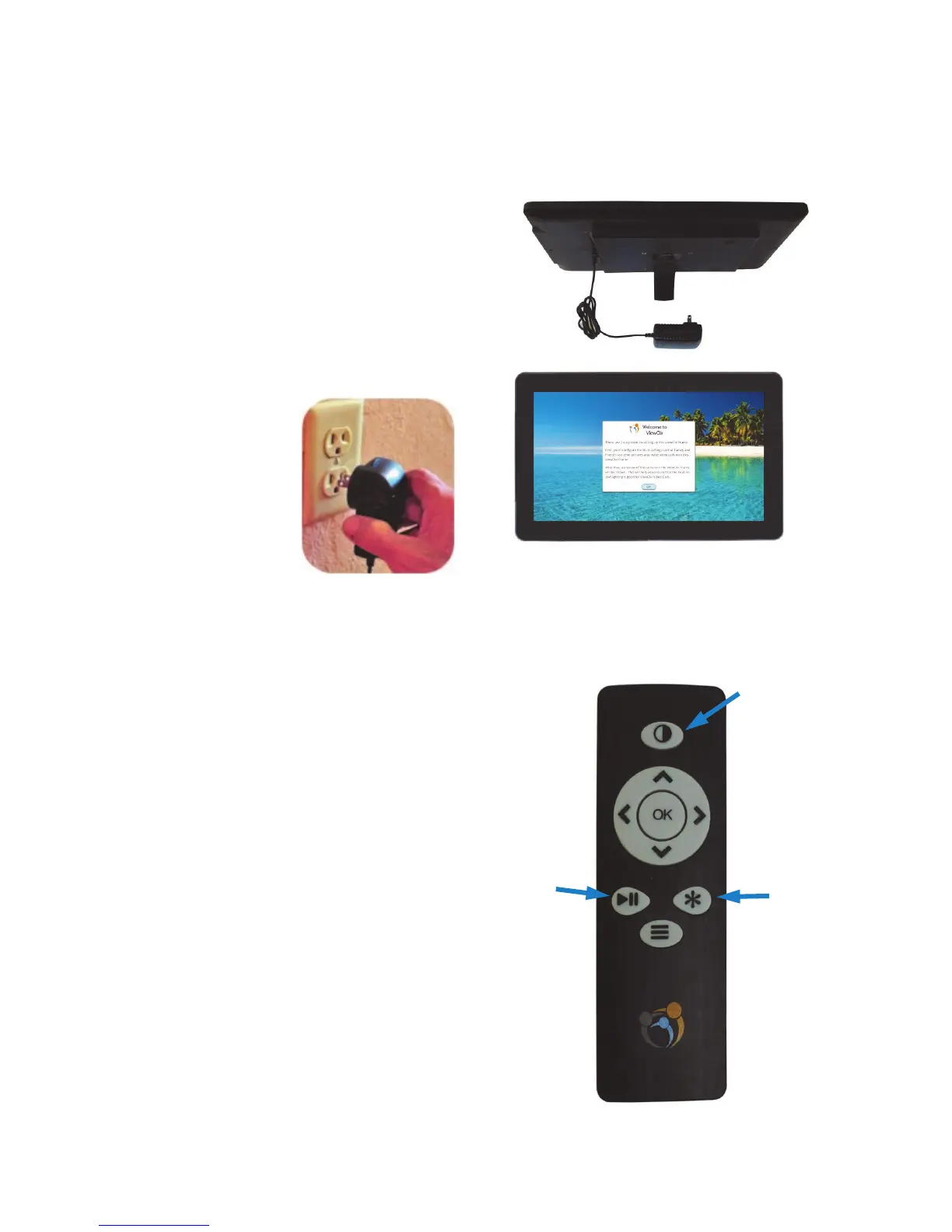
Plug power cord
into power outlet.
The frame will now start
up and display its initial
screens.
ViewClix Remote Control
The ViewClix Smart Frame is shipped with a
remote control to enter commands.
The Remote Control will be needed
to nish the setup/installation
process.
You can use the remote control to
pause the Slideshow. Use the forward
and back buttons < > to move through
the pictures.
Install the ViewClix Smart Frame (CONTINUED)
Step 4
Place the frame near a
power outlet on a
table top or counter
top. Choose a location
that can oer good
illumination.
Pause &
Play the
Slideshow.
Options
button
Sleep and
wake-up the
ViewClix
frame.
The OK button
is used to enter
selections.


 To Next Page