U
U
n
n
i
i
c
c
o
o
s
s
D
D
i
i
g
g
i
i
t
t
a
a
l
l
R
R
e
e
f
f
r
r
a
a
c
c
t
t
o
o
r
r
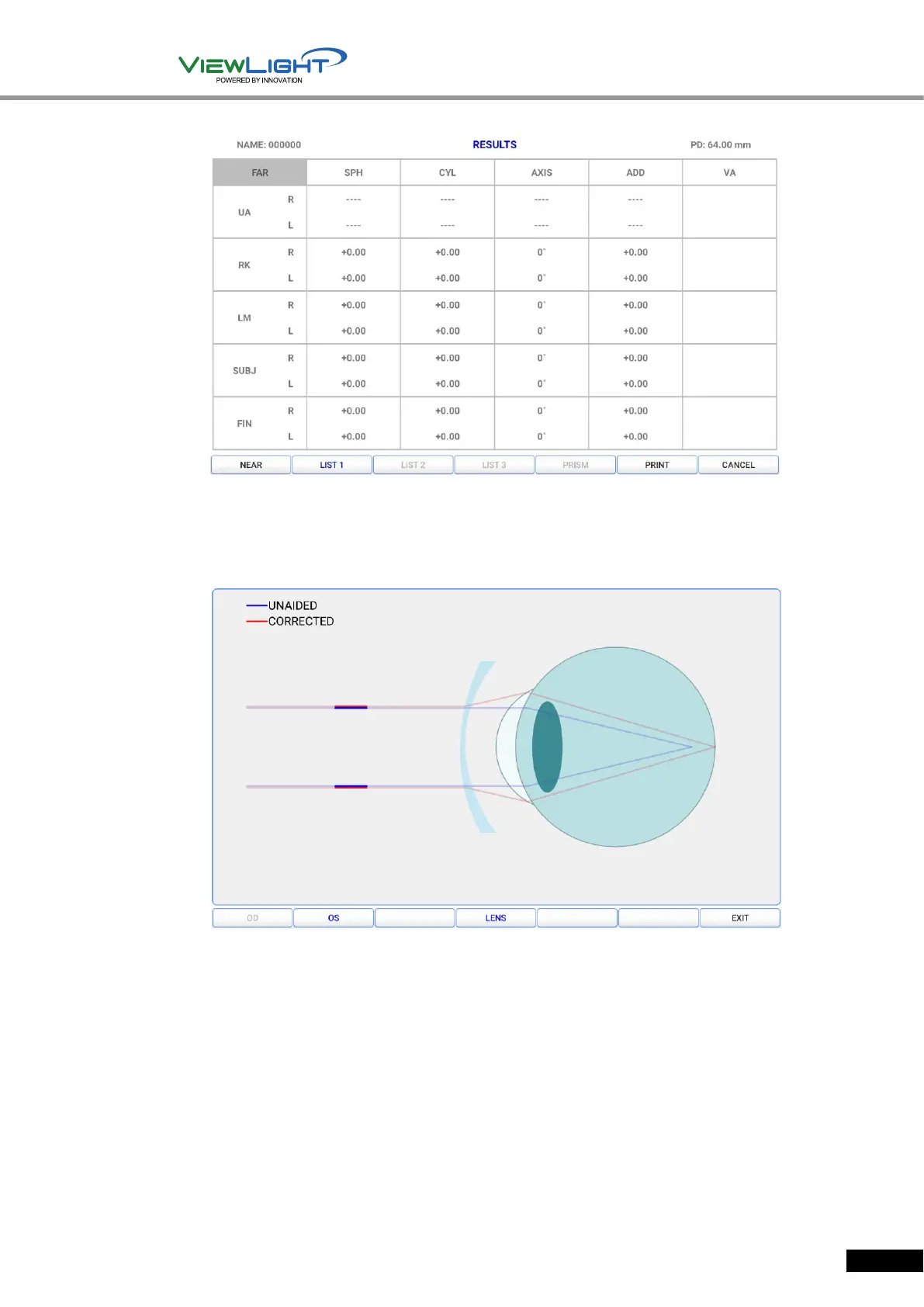
[Figure 5-5] Test result screen
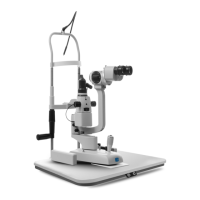
④ Graphic button
- The current test result is expressed as an image.
- The blue line means unaided eye, the red line means corrected eye.
[Figure 5-6] Graphic screen
⑤ Load button
- By touch the load button, you can load previously saved LM, RK, DB data.
- Data received from LM, RK are saved by each date and time up to 10.
- For more information, see 7.3.
⑥ Operation panel button hide/release
- By touching the button, the buttons on operation panel are shown or hidden on the screen.
- It has the same functions as the button on the operation panel, so you can control the
Ref.Body using only the Tablet PC.


 To Next Page