O
O
p
p
e
e
r
r
a
a
t
t
i
i
o
o
n
n
M
M
a
a
n
n
u
u
a
a
l
l
6.2 Test Mode and Results Copy
On every mode except UA mode, the pre-existing mode value is duplicated into new mode one time
only when mode is changed.
In case of UA mode, different from other modes, the information is not copied because it operates
independently. Moreover, since it copies to use the results of UA mode whenever mode is changed,
so that you may avoid inconvenience to reset and save the test time.
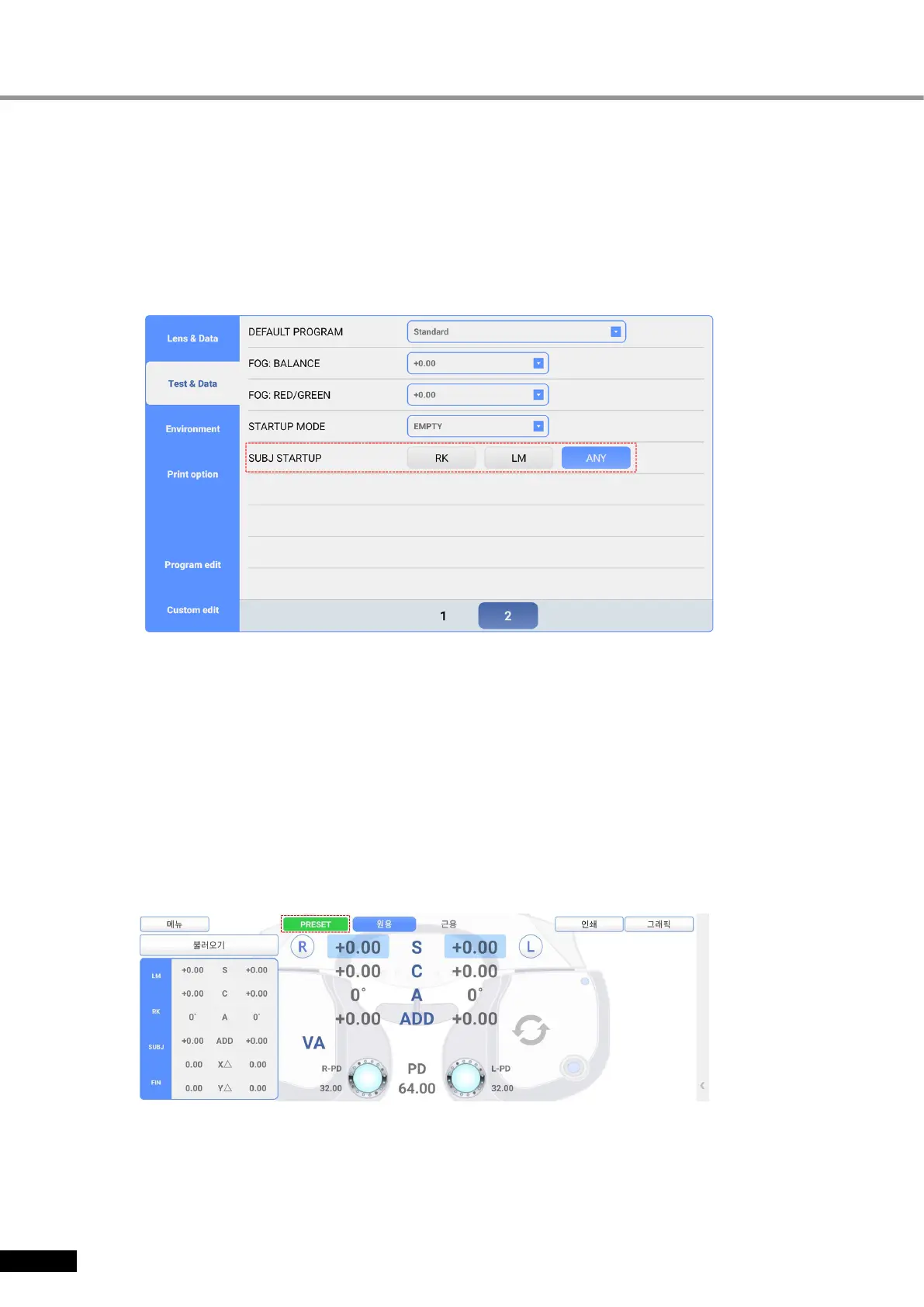
You can restrict copy of the results on SUB mode by SUBJ startup of ‘Test & Data page 2’.
[Figure6-2] SUBJ STARTUP of Test & Data page 2
6.3 Use of PRESET, AUX OFF, LENS FIX Mode
PRESET Mode
On PRESET Mode, the lenses are not changed while values of field(S, C, A, VA, ADD,
PRISM) are changed. So, the patient does not feel any discomfort while the information for
objective test value is set in the system without any network. Furthermore, the intervene of
accommodation force could be restricted.
Press [CC1] button while pressing [SHIFT] button to begin PRESET mode, then ‘PESET’
mode appears on the upper part of screen. Set the field value by selecting the field, and lift
PRESET mode by pressing [CC1] button while pressing [SHIFT] button. Lenses are inserted
at once according to the determined value of field.
[Figure 6-3] PRESET Mode


 To Next Page