U
U
n
n
i
i
c
c
o
o
s
s
D
D
i
i
g
g
i
i
t
t
a
a
l
l
R
R
e
e
f
f
r
r
a
a
c
c
t
t
o
o
r
r
7.3 Load and Save the data of Auto Ref / Keratometer (URK series)
Transmit the test results of the Auto Ref / Keratometer (URK series) to UDR-800P
① Measure the patient’s eye by auto ref/keratometer.
② The test results are transmitted to UDR series from UDR-800P, by pressing PRINT button
on URK series.
③ Touch [RK LOAD] button on UDR-800P, and insert the lenses to meet the information
received from URK series. (value of S, C, A, and PD).
Save the test results of the Auto Ref / Keratometer (URK series) or the measurement data of
UDR series into the database of UDR series
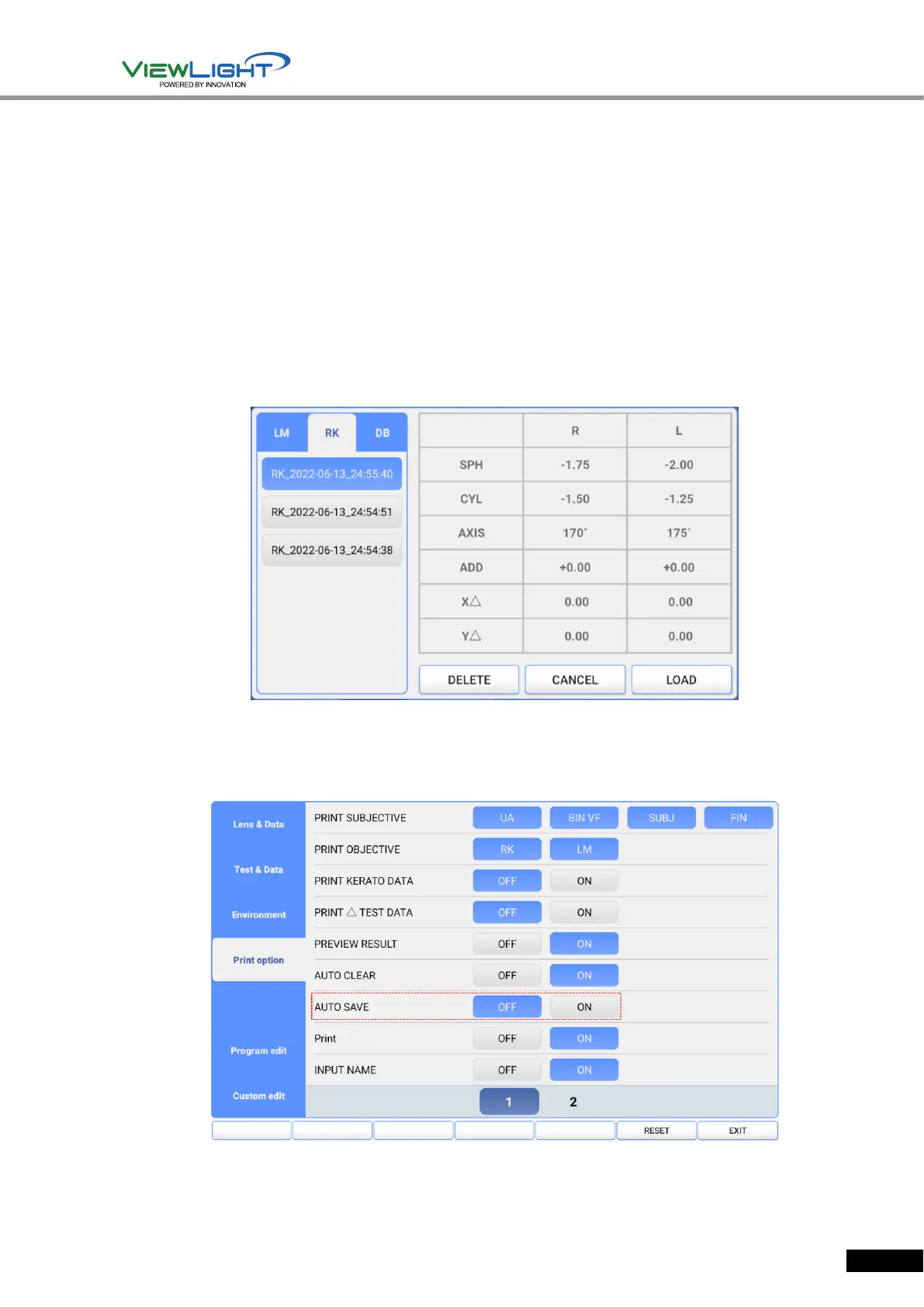
① Transmit the test results of the Auto Ref / Keratometer to UDR-800P. The data that is
transmitted into the DATABASE is saved automatically in order of date and time.
[Figure 7-2] Saved RK data list
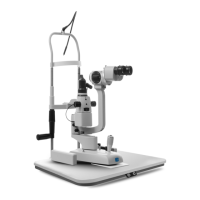
To save the measurement data of UDR-800P, the 'AUTO SAVE' menu of ‘Print option’ must be
set as 'ON' so that the measurement data may be saved automatically.
[Figure 7-3] Set up the AUTO SAVE menu, on Print option


 To Next Page