U
U
n
n
i
i
c
c
o
o
s
s
D
D
i
i
g
g
i
i
t
t
a
a
l
l
R
R
e
e
f
f
r
r
a
a
c
c
t
t
o
o
r
r
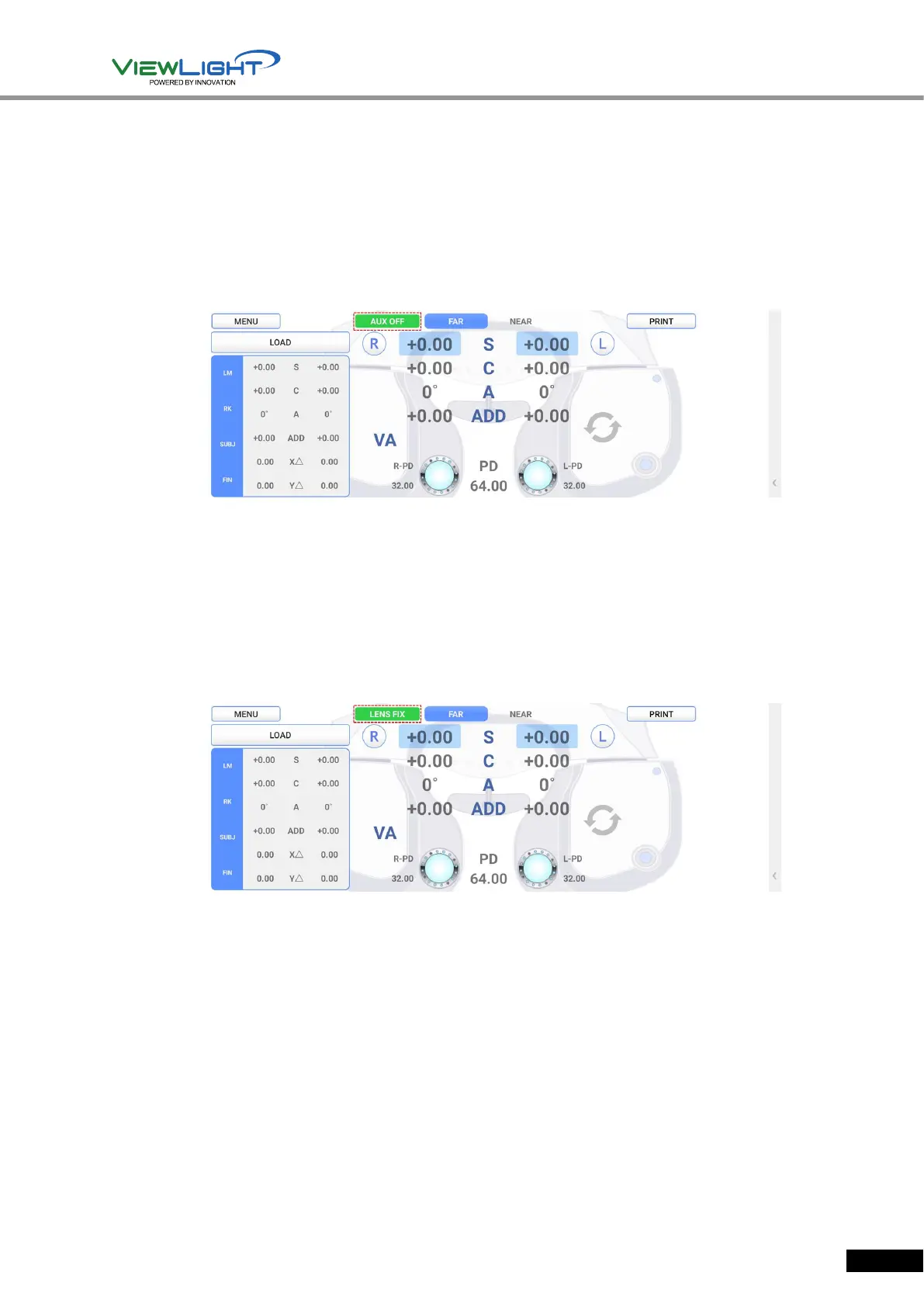
AUX OFF Mode
AUX OFF Mode temporarily removes auxiliary lenses (Polarized Light, Red/Green, Fixed
Cross Cylinder Lenses, 6∆ BU Lenses and 10∆ BI Lenses,) which are put in during vision test.
By pressing left [OPEN/CLOSE] button while pressing [SHIFT] button, the AUX OFF mode is
activated, showing ‘AUX OFF’ mode on the upper part of screen. And then, the auxiliary
lenses are temporarily removed. Aging by pressing left [OPEN/CLOSE] button while pressing
[SHIFT] button, lift AUX OFF mode, and the removed auxiliary lenses would be put in again.
[Figure 6-4] AUX OFF Mode
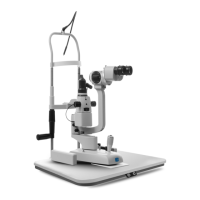
LENS FIX Mode
LENS FIX mode is a function that does not insert lenses set automatically when selecting chart
during vision test.
By pressing right [OPEN/CLOSE] button while pressing [SHIFT] button, LENS FIX mode is
activated. Again by pressing right [OPEN/CLOSE] button while pressing [SHIFT] button, lift
LENS FIX mode.
[Figure 6-5] LENS FIX Mode
6.4 Test of Far Vision and Near Vision
There are two vision such as Far vision and Near vision. Generally, vision means Far vision,
and actually this manual also treats Far vision test throughout the most part. However, as the
problems of Near vision are growing recently, UDR-800P serves both Far vision and Near vision.
To do Near vision test, change the mode by pressing [FAR/NEAR] button on touch screen, or
adjust Addition only, while maintaining Far vision mode by pressing [ADD] button. If a patient
has even presbyopia with nearsightedness(myopia), it’s recommended to test on [ADD] mode
by pressing [ADD] button.
On each method, the Ref. Body of UDR-800P is tilted to the opposite side of the patient, and
input the information about the work distance and the patient’s age for an accurate test when
you do Near vision test.


 To Next Page