13
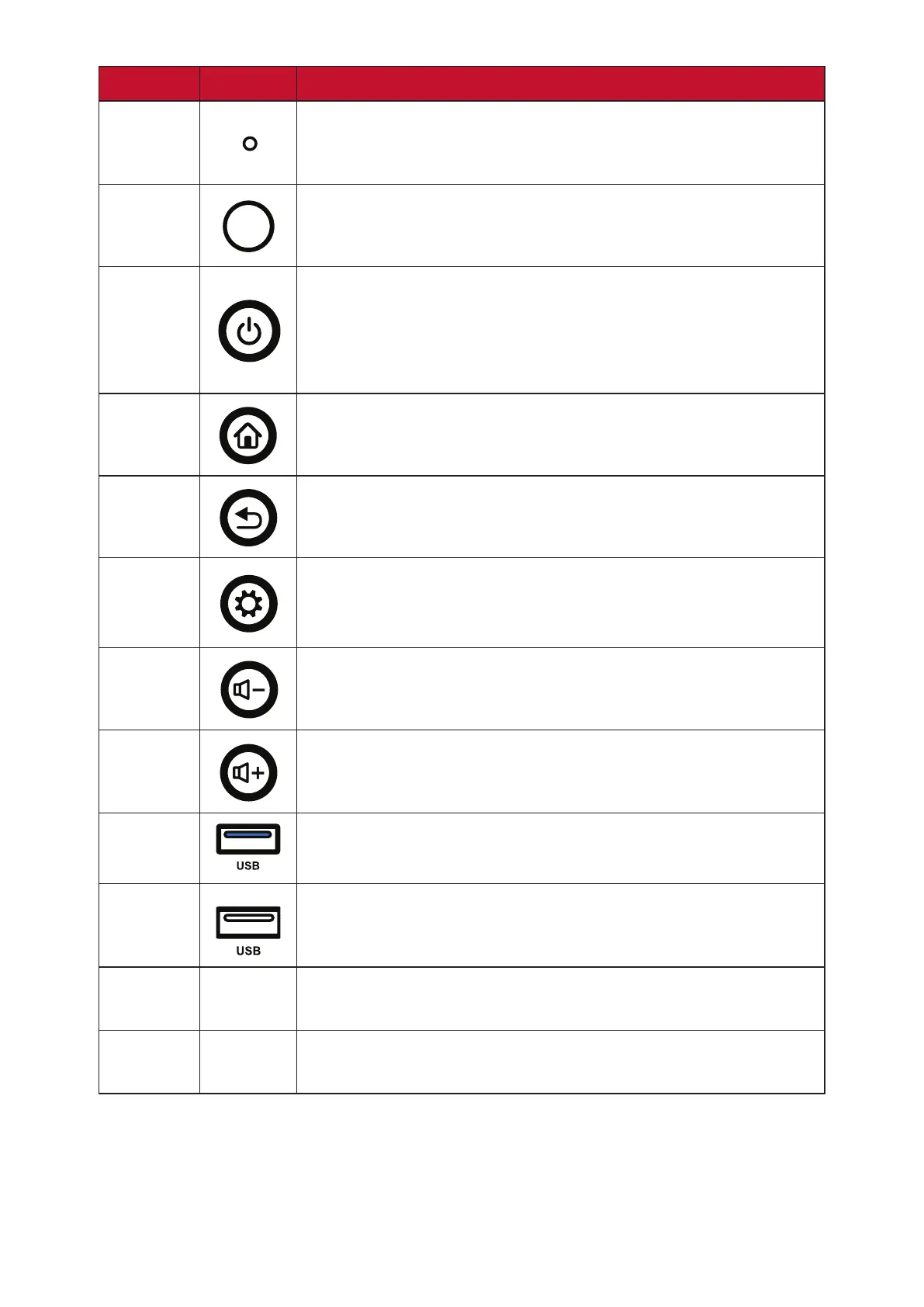
Number Item Descripon
1
Power indicator light
2
Remote control receiver
3
• Turn on/o the device
• Tap to enter Energy Saving mode
• Press and hold for at least two (2) seconds to enter
Standby mode
4
Go to the Home screen
5
Return to the previous screen
6
• Enter the Sengs menu
• Press and hold for three (3) seconds to acvate Screen
Freeze
7
Decrease the Volume
8
Increase the Volume
9
USB 3.0. Smart USB port for PC, HDMI, VGA, and Android
input signals.
10
USB 2.0. Smart USB port for PC, HDMI, VGA, and Android
input signals.
11
Speaker
12
Subwoofer



 To Next Page