17
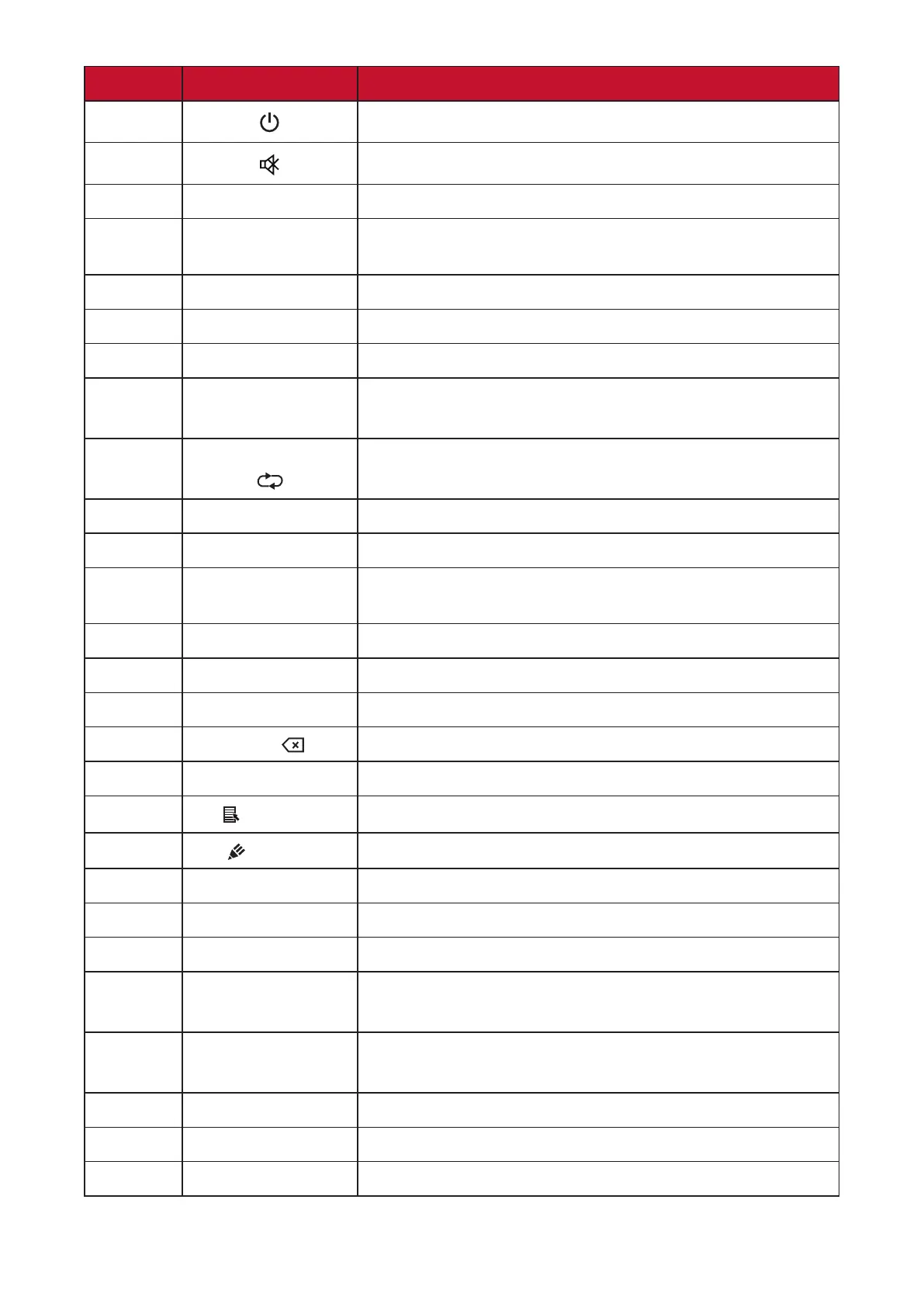
Number Item Descripon
1
Power on/o
2
Mute/Unmute
3
SLEEP Sleep Mode
4
DISPLAY For Non-Android sources; display current input source
informaon
5
P.MODE Blank Screen
6
FREEZE Freeze Screen
7
Numeric input buons
8
ALT+TAB
-/--
Slot-in computer space bar Alt+Tab
9
ALT+F4
Slot-in computer, close program window
10
INPUT Input source selecon
11
ASPECT Back to slot-in system main interface
12
MENU
For Android, access Sengs; for other sources, access
Touch Menu sengs
13
Red / ALT Screen capture
14
Green / TAB PC [Tab] buon
15
Yellow / DESKTOP Switch to slot-in PC desktop
16
BLUE/
PC [Backspace] buon
17
START / D.MENU PC [Windows] buon
18
/ D.TITLE
PC [Menu] buon
19
/ D.USB
Wring soware setup
20
EPG/BACK Return buon
21
p / q / t / u
Scroll up, down, le, and right
22
ENTER Conrm selecon/state
23
ESC / EXIT /
D.SETUP
Shortcut buon to exit dialogue boxes
24
CH.+/PGUP/CH.-/
PGDN
CH+: PC previous page
CH-: PC next page
25
VOL+ / VOL- Increase/Decrease volume
26
FAV / SPACE PC [Space] buon
27
F1-F12 Built-in computer F1 - F12 funcon buon
NOTE: All computer-related funcon keys are not available without a slot-in
computer.



 To Next Page